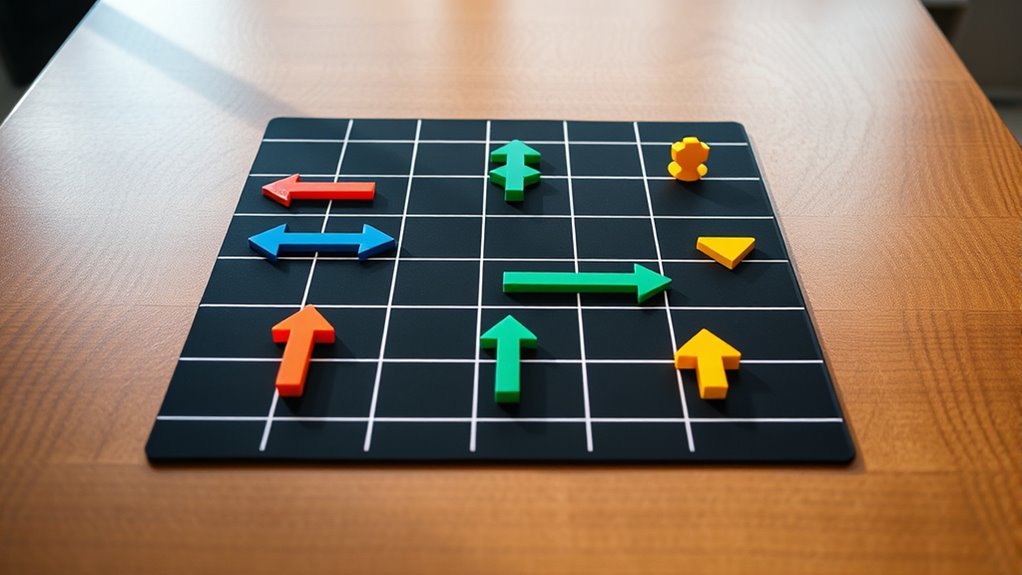

Unplugged coding games using arrows and grids help you teach programming concepts through physical activities. You can create simple maps with paper and markers, then guide a toy or paper character using arrow instructions. These games boost problem-solving, logic, and algorithm skills while encouraging teamwork and creativity. They make abstract ideas concrete and fun without screens. If you keep exploring, you’ll find ways to make these activities even more engaging and educational.
Key Takeaways
- Use paper grids and arrow symbols to create navigation challenges that children solve through physical movements.
- Design step-by-step instruction sequences with arrows to teach algorithms and logical thinking.
- Incorporate obstacles and goals on grids to simulate real programming problems and route optimization.
- Encourage children to plan, test, and debug routes using arrows, fostering problem-solving skills without screens.
- Combine visual grids and directional arrows to make coding concepts tangible, interactive, and accessible for young learners.

Have you ever wondered how kids can learn coding without ever touching a computer? It might seem impossible at first, but using unplugged coding games with arrows and grids makes it both accessible and fun. These activities focus on teaching fundamental programming concepts like algorithms and logic challenges in a way that doesn’t require screens or keyboards. Instead, children use simple tools—like paper, markers, and their own movements—to grasp how instructions translate into actions.
Kids can learn coding fundamentals through fun, unplugged games using paper, markers, and movement—no screens needed.
In these games, kids often work with grids that resemble maps or game boards. They’re given a starting point and a goal, such as moving from one corner of the grid to another. To get there, they need to create a sequence of arrow commands—up, down, left, right—that act as their “algorithm.” This process introduces them to the idea of step-by-step instructions, a core concept in programming. As they plan their routes, they encounter algorithm puzzles that challenge them to think critically about the most efficient or effective way to reach their goal. They might need to navigate around obstacles or find the shortest path, which pushes their problem-solving skills further.
These logic challenges are essential because they help children understand how to break down complex problems into manageable steps. For example, a child might be asked to program a “robot” (represented by a marker or a toy) to move across the grid by following a sequence of arrows. They’ll have to anticipate what each move does and consider the consequences of their choices. This process fosters logical thinking and teaches them to debug or adjust their sequences if the robot doesn’t reach its destination as planned.
Using arrows and grids also encourages collaboration and discussion. Kids can work together to devise solutions, compare different routes, or optimize their algorithms. They learn that there’s often more than one way to solve a problem, which promotes creativity and resilience. Plus, it’s an engaging way for kids to visualize programming concepts—they see the immediate results of their instructions in a tangible form. No screens needed, just their own reasoning, a bit of space, and some simple materials. Additionally, employing visualization tools like grids helps solidify understanding of abstract programming concepts through concrete representation.
Frequently Asked Questions
How Can I Adapt These Games for Advanced Learners?
To adapt these games for advanced learners, challenge them with complex problems requiring advanced problem solving. Encourage creative extensions, like adding obstacles or timers, to increase difficulty. You can also introduce multi-step commands or conditional logic, pushing learners to think critically and develop more sophisticated strategies. By customizing the scenarios and rules, you foster deeper engagement and help develop their coding skills in innovative ways.
What Are Some Common Challenges Students Face During These Activities?
You often find that students face conceptual misunderstandings and engagement barriers during these activities. They might struggle with grasping how arrows guide movement or lose focus due to repetitive tasks. Sometimes, their minds wander to unrelated topics, making it hard to stay involved. To overcome this, you can tailor challenges to their interests, clarify instructions, and incorporate variety to keep their curiosity alive and foster deeper understanding.
Are There Digital Tools to Complement Unplugged Arrow and Grid Games?
Yes, you can use interactive platforms and digital simulations to complement unplugged arrow and grid games. These tools allow you to visualize coding concepts dynamically, making learning more engaging. By integrating digital simulations, you help students experiment with commands and see immediate results. Interactive platforms also enable collaborative problem-solving and provide instant feedback, reinforcing understanding while keeping the activity fun and accessible for learners of all levels.
How Do These Games Support Different Learning Styles?
Did you know that 65% of learners prefer visual or kinesthetic methods? These unplugged coding games support different learning styles by engaging visual learners through arrow directions and grid layouts, making concepts easier to grasp. Kinesthetic learners benefit from active participation, moving pieces or following physical instructions. This hands-on approach helps students understand programming logic while catering to diverse needs, making learning both effective and enjoyable.
What Safety Precautions Should Be Taken During In-Person Play?
During in-person play, you should guarantee proper supervision requirements are met to keep everyone safe. Make sure an adult is present to monitor activities and intervene if needed. Clearly communicate emergency procedures to all participants before starting, so they know what to do in case of an accident. Keep the playing area free of hazards, and encourage respectful behavior to prevent injuries or conflicts. This way, everyone can enjoy the activity safely.
Conclusion
Now that you’ve explored unplugged coding games with arrows and grids, you’ve unlocked a world where imagination and logic dance together like stars guiding your way. These activities turn learning into an adventure, transforming abstract concepts into tangible treasures on your map. So, keep steering this exciting terrain, and watch how your problem-solving skills grow like trees reaching for the sun. The journey may be simple, but the discoveries you’ll make are truly endless.