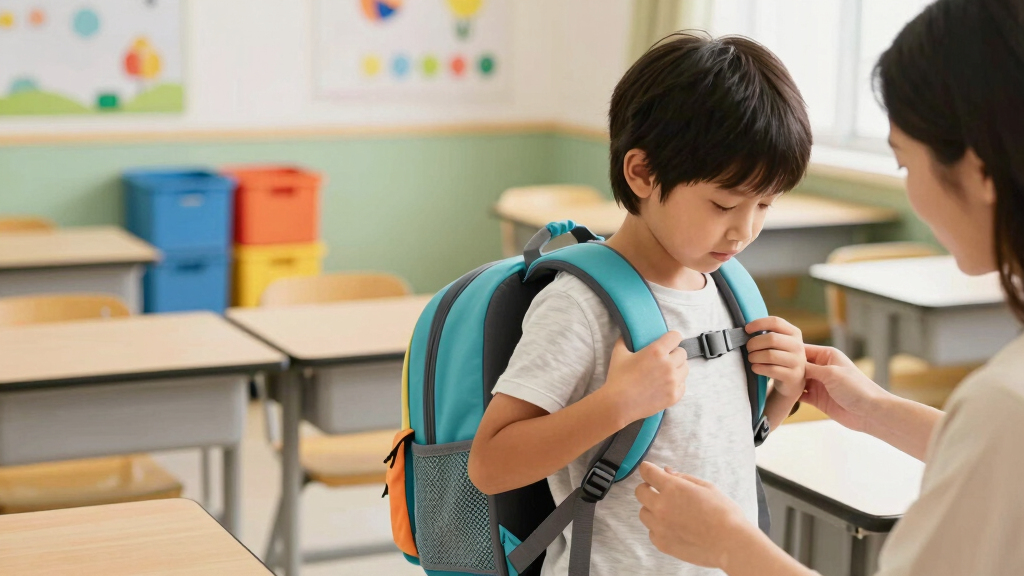

This guide explains how to choose and fit an ergonomic backpack for a child. It is designed for parents or guardians seeking a safe, comfortable backpack that promotes healthy posture. The process involves selecting the right backpack and ensuring it fits correctly to prevent discomfort and long-term posture issues. It takes about 15 to 30 minutes to complete.

Turn the school run and nap time into listening time
- Thousands of audiobooks, podcasts and originals
- Listen on your phone, tablet or Echo — also offline
- Cancel anytime
Difficulty: Beginner | Time: 15-30 minutes
What You’ll Need
Tools & Materials:
- measuring tape
- a mirror (optional)
Knowledge:
- basic understanding of child’s height and weight
- ability to assess posture
Ensure the child is wearing comfortable clothing and is standing upright. Measure the child’s torso length and overall height for accurate fitting.
ergonomic kids backpack with adjustable straps
As an affiliate, we earn on qualifying purchases.
As an affiliate, we earn on qualifying purchases.
Before You Start
Check the child’s current backpack for discomfort signs such as straps digging into shoulders or uneven weight distribution. Confirm the child’s height and torso length for selecting appropriate backpack size.
Step-by-Step Instructions
Step 1: Determine the child’s torso length
Use a measuring tape to measure from the base of the neck (C7 vertebra) to the top of the iliac crest (hip bone). Record this measurement in centimeters or inches.
Tip:
Have the child stand upright and relaxed during measurement for accuracy.
Check:
You have an accurate torso measurement, which is essential for selecting a backpack with the correct back panel length.
Step 2: Select a backpack with adjustable features
Choose a backpack that offers adjustable shoulder straps, a padded back panel, and a waist or chest strap. Verify that the backpack size matches the child’s torso length.
Tip:
Look for backpacks with multiple adjustment points to customize fit as the child grows.
Check:
The backpack is adjustable and fits the child’s torso length without forcing or pinching.
Step 3: Load the backpack properly
Pack only essential items, distributing weight evenly in the main compartments. Keep heavier items close to the child’s back and avoid overloading beyond 10-15% of the child’s body weight.
Tip:
Use lightweight, compact items to reduce overall weight.
Check:
The backpack feels balanced and not overly heavy when worn, with weight close to the child’s back.
Step 4: Adjust the straps for proper fit
Put the backpack on the child’s shoulders and tighten the shoulder straps so the backpack sits snugly against the back, with about 2-3 finger widths of space at the top of the straps. Adjust the chest or waist strap to stabilize the load.
Tip:
Ensure straps are not too tight to restrict movement or cause discomfort.
Check:
The backpack rests comfortably against the child’s back, with straps snug but not tight, and the child can move freely.
Step 5: Verify the fit and comfort
Ask the child to stand, walk, and bend slightly to check for discomfort, pinching, or shifting. Confirm that the backpack remains aligned with the back and does not sag or hang too low.
Tip:
Use a mirror or have the child perform movements to assess fit from different angles.
Check:
The child reports comfort, and the backpack stays in proper position during movement.
Common Mistakes to Avoid
- Overloading the backpack beyond recommended weight limits. — Limit weight to no more than 10-15% of the child’s body weight and pack only necessary items.
- Choosing a backpack that is too large or too small. — Measure torso length accurately and select a backpack that matches the measurement, ensuring proper fit.
- Failing to adjust straps properly, causing uneven weight distribution. — Adjust straps so the backpack fits snugly against the back without restricting movement, and use additional straps for stabilization.
Troubleshooting
Problem: Backpack slides down or hangs too low.
Solution: Tighten shoulder straps and chest/waist straps to keep the backpack snug against the back.
Problem: Child complains of shoulder pain.
Solution: Loosen straps slightly, check for proper weight distribution, and reduce overall load if necessary.
Problem: Backpack causes pinching or irritation.
Solution: Adjust straps so they are not too tight, and consider padding or different strap designs if discomfort persists.
What Success Looks Like
The backpack fits comfortably, stays aligned with the child’s back during movement, and the child reports no discomfort. The straps are adjustable and properly fitted, and the weight is manageable.
Next Steps
Regularly check the fit as the child grows or as the backpack is used for different loads. Reassess the fit every few months or after long breaks. Replace the backpack if it shows signs of wear or no longer fits properly.
Frequently Asked Questions
How often should I check the backpack fit?
Check the fit every few months or whenever the child reports discomfort, and after significant growth or weight changes.
Can I use a regular backpack for my child?
Only if it has ergonomic features like adjustable straps, padded back, and appropriate size for the child’s torso. Otherwise, it may cause discomfort or posture issues.
What weight should the backpack not exceed?
Keep the total weight below 15% of your child’s body weight to prevent strain and promote healthy posture.
Are there specific brands recommended for ergonomic backpacks?
Look for brands that prioritize adjustable features, padding, and ergonomic design. Consult reviews or pediatric recommendations for trusted options.
Halloween Picks
halloween
As an affiliate, we earn on qualifying purchases.