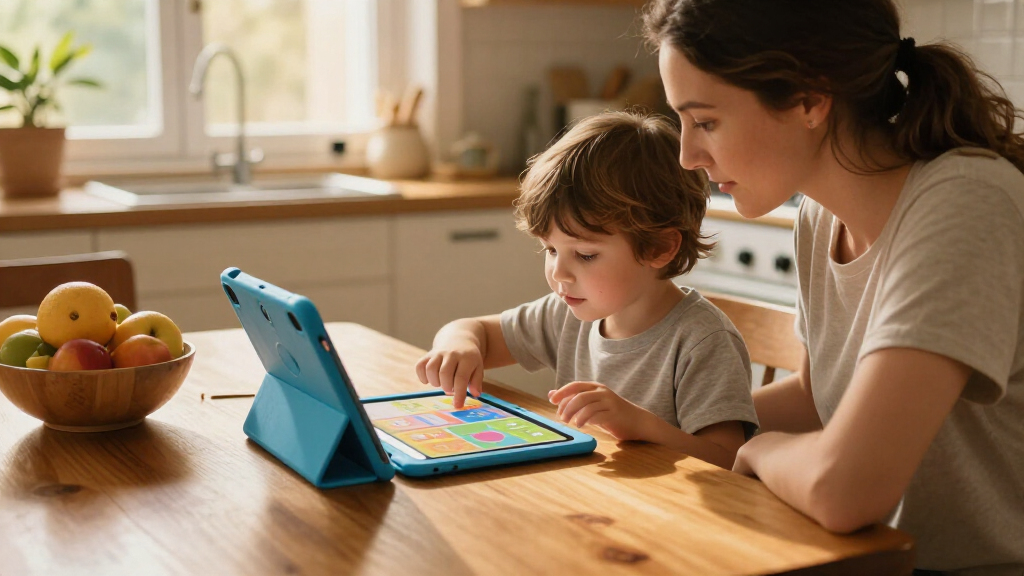

Interactive learning tablets for kids range from simple talking flash-card toys to full Android and Fire tablets, so the best choice depends on your child’s age and how much screen time you want. I’d choose the LeapFrog LeapPad Academy as the best overall learning-first option, while the Amazon Fire 7 Kids Tablet suits families who want a general-purpose tablet with kid-focused controls. For toddlers who learn by listening and repeating, the JoyCat talking flash-card tablet offers a more focused alternative. The main tradeoff is between guided, age-focused activities and the flexibility of a conventional tablet, which can bring more setup and screen-time decisions. Read on for the full comparison, who each pick suits, and what to weigh before choosing.

Turn the school run and nap time into listening time
- Thousands of audiobooks, podcasts and originals
- Listen on your phone, tablet or Echo — also offline
- Cancel anytime
Complete the kit


Key Takeaways
Learning toys and general-purpose tablets serve different needs. Talking flash-card models such as JoyCat and amazon.com/dp/B0CY7ZJB4V?tag=healthykidplay-20&ascsubtag=dc-1096622″ target=”_blank” rel=”nofollow sponsored noopener”>Puzcande focus on recognition and repetition; Fire, Laptok, and Android models offer broader app use.
The LeapPad Academy is the clearest learning-first pick. Its dedicated educational format makes it a more focused choice than open Android tablets, which depend more on adult setup and app selection.
Screen size changes how a tablet fits into family routines. Seven-inch models such as the Fire 7 and PRITOM 7 are easier to carry, while 10-inch options give more room for videos, drawing, and shared activities.
Flash-card counts do not tell the whole story. JoyCat’s 156 pages offer more prompt variety than the 30-card model, but parents should also weigh language support, pacing, and whether a child enjoys repeated audio activities.
Cases and controls matter as much as storage claims. A protective case or lanyard can help with handling, while parental controls and a manageable app setup shape the everyday experience on conventional tablets.
| Puzcande Bilingual Educational Learning Tablet Toy with Flash Cards |  | Best Screen-Free Pick | Brand: Puzcande | Age range: 24 months and up | Learning themes: 40 | VIEW LATEST PRICE | See Our Full Breakdown |
| Laptok KB1016 Kids Tablet, 10.1-Inch, 64GB, Purple |  | Best for Storage and Connectivity | Model: KB1016 | Operating system: Android 16 Go | Display: 10.1-inch HD LCD, 1280 × 800 | VIEW LATEST PRICE | See Our Full Breakdown |
| Amazon Fire 7 Kids Tablet, 16 GB, Blue |  | Best for Younger Beginners | Age range: 3–7 years | Display: 7-inch touchscreen, 1024 × 600, 171 ppi | Processor: Quad-core 2.0 GHz | VIEW LATEST PRICE | See Our Full Breakdown |
| Gleeso 10.1-Inch Kids Tablet, Android 16, 64GB Storage, Pink |  | Best for a Large Screen | Operating system: Android 16 | Screen: 10.1 inches | Resolution: 800 × 1280 | VIEW LATEST PRICE | See Our Full Breakdown |
| PRITOM 7-Inch Kids Tablet, 32GB, Android 13, with Lanyard Case |  | Best Compact Carryalong | Model: K7, 3rd Generation | Model year: 2024 | Screen: 7 inches, 1024 × 600 IPS | VIEW LATEST PRICE | See Our Full Breakdown |
| JoyCat Kids Learning Tablet with 156 Pages of Talking Flash Cards |  | Best Screen-Free Pick | Pages: 156 | Learning topics: Alphabet, short vowels, basic math, word building, songs, and learning games | Interaction: Insert-and-tap design with sound effects, pronunciation, and quizzes | VIEW LATEST PRICE | See Our Full Breakdown |
| LESHITIAN Kids Educational Laptop with 80 Learning Activities |  | Best for Typing Practice | Brand: LESHITIAN | Age range: 5–10 years | Learning activities: 80 modes | VIEW LATEST PRICE | See Our Full Breakdown |
| Funelse 10-Inch Kids Tablet, Android 16, 24GB RAM, 64GB Storage, with Case and Stylus |  | Best for Expandable Storage | Operating system: Android 16 | Processor: 1.8GHz A333 | RAM: 24GB (as listed) | VIEW LATEST PRICE | See Our Full Breakdown |
| Trayoo 7-Inch Kids Tablet with Parental Controls, Educational Apps, and Protective Case, Blue |  | Best Compact Pick | Screen size: 7 inches | Operating system: Android 11 | Processor: Quad-core | VIEW LATEST PRICE | See Our Full Breakdown |
| PRITOM 10-Inch Kids Tablet, Android 14, 32GB, Green |  | Best for an Adjustable Stand | Screen size: 10 inches | Operating system: Android 14 | Processor: Quad-core | VIEW LATEST PRICE | See Our Full Breakdown |
| 2-in-1 Interactive Learning Laptop Toy for Toddlers |  | Best for Laptop-Style Pretend Play | Type: 2-in-1 laptop and tablet toy | Recommended age: 1–3 years | Learning themes: 120+ | VIEW LATEST PRICE | See Our Full Breakdown |
| LeapFrog LeapPad Academy Kids’ Learning Tablet, Green |  | Best for App-Based Learning | Brand: LeapFrog | Model: LeapPad Academy | Model year: 2019 | VIEW LATEST PRICE | See Our Full Breakdown |
| Interactive Learning Tablet for Kids with 30 Flash Cards |  | Best for Screen-Free Phonics Practice | Brand: Hbaid | Age range: 36 months–6 years | Flash cards: 30 | VIEW LATEST PRICE | See Our Full Breakdown |
| hahaland Multilingual Learning Tablet Toy for Toddlers Ages 1–3 |  | Best for Multilingual Toddler Play | Age range: 12–36 months | Learning activities: 90+ modules | Interactive icons: 39 | VIEW LATEST PRICE | See Our Full Breakdown |
| interactive learning tablets for kid | Operating system |
|---|---|
| Puzcande Bilingual Educational | — |
| Laptok KB1016 Kids Tablet | Android 16 Go |
| Amazon Fire 7 Kids Tablet | — |
| Gleeso 10.1-Inch Kids Tablet | Android 16 |
| PRITOM 7-Inch Kids Tablet | Android 13 |
| JoyCat Kids Learning Tablet wi | — |
| LESHITIAN Kids Educational Lap | — |
| Funelse 10-Inch Kids Tablet | Android 16 |
| Trayoo 7-Inch Kids Tablet with | Android 11 |
| PRITOM 10-Inch Kids Tablet | Android 14 |
| 2-in-1 Interactive Learning La | — |
| LeapFrog LeapPad Academy Kids’ | Android 10 |
| Interactive Learning Tablet fo | — |
| hahaland Multilingual Learning | — |
More Details on Our Top Picks
Puzcande Bilingual Educational Learning Tablet Toy with Flash Cards
The Puzcande is the clearest fit for families who want an interactive learning tablet experience without adding a screen. Its 40 themed cards cover letters, numbers, shapes, animals, and more, while five learning modes give children several ways to revisit the material. English and Spanish support makes it more useful for bilingual homes than the app-based Amazon Fire 7 Kids Tablet, though the Fire offers a broader range of digital content and longer-form activities. The tradeoff is that Puzcande depends on its included cards and topics; it cannot offer the same variety as an app library. I’d choose it for focused, hands-on practice, but families seeking videos, games, or expandable digital content should look at a conventional tablet instead.
Pros:- Teaches in both English and Spanish
- Includes 40 themed flash cards
- Five learning modes add variety to card-based practice
- Two volume levels let caregivers adjust sound
Cons:- Learning content is limited to the included cards and themes
- Does not provide a screen or app-based activities
Best for: Parents of toddlers and preschoolers who want bilingual, screen-free practice with physical flash cards
Not ideal for: Families looking for videos, downloadable apps, or a broad digital content library
- Brand:Puzcande
- Age range:24 months and up
- Learning themes:40
- Learning modes:5
- Languages:English and Spanish
- Volume control:2 levels
- Design:Screen-free
Our verdict“Choose Puzcande for bilingual, hands-on learning without a screen; choose the Fire 7 if digital content variety matters more.”
Laptok KB1016 Kids Tablet, 10.1-Inch, 64GB, Purple
The Laptok KB1016 pairs a 10.1-inch display with 64GB of storage and support for TF cards up to 1TB, giving families room for downloaded learning apps and media. Its Wi-Fi 6, Bluetooth 5.4, parental controls, and UKIDOZ Kids Space make it a more connected choice than the screen-free Puzcande, which is better for short, card-led practice. The display is 1280 × 800, so it offers a larger viewing area without a particularly sharp resolution. Its listed memory also needs careful reading: the 3GB RAM is paired with 21GB of extended memory, rather than 24GB of physical RAM. I’d favor Laptok when storage flexibility and wireless features matter; families who mainly want a compact tablet for younger children may find the Fire 7 easier to handle.
Pros:- 10.1-inch display provides a generous area for learning apps
- 64GB storage can be expanded up to 1TB with a TF card
- Wi-Fi 6 and Bluetooth 5.4 support modern wireless connections
- Includes a protective case and parental controls
Cons:- 1280 × 800 resolution is modest for a 10.1-inch screen
- The listed 24GB memory includes 21GB of extended memory, not physical RAM
- TF card for additional storage is not listed as included
Best for: Families who download learning apps and media and want a large screen with expandable storage
Not ideal for: Caregivers seeking a small, simple tablet for preschoolers or a high-resolution display
- Model:KB1016
- Operating system:Android 16 Go
- Display:10.1-inch HD LCD, 1280 × 800
- Memory:3GB RAM + 21GB extended RAM
- Storage:64GB, expandable up to 1TB via TF card
- Battery:6000mAh, 16.5Wh
- Connectivity:Wi-Fi 6, Bluetooth 5.4
- Cameras:5MP front; 8MP rear with autofocus and flash
Our verdict“Pick the Laptok for a large, expandable app-based learning setup, provided you are comfortable with its modest display resolution.”
Amazon Fire 7 Kids Tablet, 16 GB, Blue
For children ages 3–7, the Fire 7 makes app-based learning more approachable with a 7-inch touchscreen, a kid-proof case, parental controls, and a one-year Amazon Kids+ subscription. Its smaller body is easier for young hands to manage than the 10.1-inch Laptok KB1016, though that larger tablet offers more built-in storage. The Fire’s microSD expansion helps with the limited 9.5GB available from its 16GB internal storage, and the included subscription gives children a ready-made content library. Families should account for the subscription renewing after its first year unless canceled. The 1024 × 600 screen and lack of Wi-Fi 6 also keep this model modest on hardware. I’d choose it for a younger child who needs a guided digital start, not for a family prioritizing a larger or sharper display.
Pros:- Compact 7-inch touchscreen suits smaller hands
- Kid-proof case and parental controls support supervised use
- MicroSD storage can expand up to 1TB
- Includes a one-year Amazon Kids+ subscription and a two-year worry-free guarantee
Cons:- Only 9.5GB of the 16GB internal storage is available to the user
- 1024 × 600 display resolution is limited
- Amazon Kids+ renews after the first year unless canceled
Best for: Families introducing children ages 3–7 to app-based learning who value a child-focused content library and controls
Not ideal for: Older children who need a large display or families who want substantial built-in storage without a subscription library
- Age range:3–7 years
- Display:7-inch touchscreen, 1024 × 600, 171 ppi
- Processor:Quad-core 2.0 GHz
- RAM:2GB
- Internal storage:16GB (9.5GB available)
- Expandable storage:Up to 1TB via microSD
- Battery life:Up to 10 hours
- Included:Kid-proof case and one-year Amazon Kids+ subscription
- Guarantee:Two-year worry-free guarantee
Our verdict“Choose the Fire 7 for a younger beginner who benefits from a compact, guided tablet and caregiver controls.”
Gleeso 10.1-Inch Kids Tablet, Android 16, 64GB Storage, Pink
Gleeso’s 10.1-inch HD display gives children more room to work through apps, videos, and learning activities than the 7-inch Amazon Fire. Its UKIDOZ kids content and parental controls let caregivers manage app access and screen time, while the 6000mAh battery supports longer stretches between charging. The listing also states 24GB RAM, but does not clarify how much is physical memory, so I would not treat that figure as directly comparable to the Laptok’s stated 3GB RAM plus extended memory. Gleeso has 64GB storage and TF-card expansion up to 1TB, though the card is not included. Compared with the better-documented Laptok KB1016, Gleeso gives similar screen size and capacity with fewer specified connectivity details and a one-year warranty. It suits families focused on screen area, not buyers who need clear wireless specifications.
Pros:- 10.1-inch screen offers more room than 7-inch alternatives
- UKIDOZ content and parental controls support managed use
- 64GB storage with TF-card expansion up to 1TB
- 6000mAh battery and front and rear cameras
Cons:- TF card is not included
- Listing does not specify a Wi-Fi standard or cellular connectivity
- 24GB RAM figure does not clarify physical versus extended memory
Best for: Caregivers who want a large-screen Android tablet with kids content and controls for home learning
Not ideal for: Buyers who need documented Wi-Fi standards, a bundled memory card, or clearly specified physical RAM
- Operating system:Android 16
- Screen:10.1 inches
- Resolution:800 × 1280
- RAM:24GB (as listed)
- Storage:64GB
- Expandable storage:Up to 1TB via TF card; card not included
- Battery:6000mAh
- Cameras:5MP front; 8MP rear
- Warranty:1 year
Our verdict“Choose Gleeso if a large screen and kids controls matter most, while recognizing that its memory and connectivity details are less clear.”
PRITOM 7-Inch Kids Tablet, 32GB, Android 13, with Lanyard Case
The PRITOM K7 stands out among these app-based options for the practical extras around its 7-inch screen: the silicone case includes both a stand and lanyard, giving children more ways to hold or set down the tablet. Its 32GB storage is double the Fire 7’s internal capacity, and it can expand to 512GB with a microSD card. Parental controls include app and network filters plus game-time limits, so caregivers can shape access without relying only on the included educational apps. The tradeoff is stamina: its listed 3.5-hour battery life falls well short of the Fire 7’s up-to-10-hour claim, and the 1024 × 600 display is similarly modest. I’d choose PRITOM for a compact tablet used in shorter sessions, especially when a lanyard and stand are useful; for longer outings, the Fire is the stronger fit.
Pros:- Silicone case includes a stand and lanyard
- 32GB storage with microSD expansion up to 512GB
- Parental controls include app and network filters and game-time limits
- Includes educational apps and games
Cons:- Listed battery life is 3.5 hours, shorter than the Fire 7’s up-to-10-hour claim
- 1024 × 600 resolution limits display detail
- Android 13 is older than the Android 16 versions listed for Laptok and Gleeso
Best for: Families who want a compact learning tablet with a lanyard, stand, and detailed app and network filters
Not ideal for: Children who use a tablet for long stretches away from a charger
- Model:K7, 3rd Generation
- Model year:2024
- Screen:7 inches, 1024 × 600 IPS
- Operating system:Android 13
- Memory:4GB RAM (+2GB expandable)
- Storage:32GB; expandable up to 512GB via microSD
- Processor:Unisoc 2-series quad-core
- Battery life:3.5 hours
- Included accessories:Silicone case with stand and lanyard
Our verdict“Pick the PRITOM K7 for shorter learning sessions where its carry-friendly case and parental filters are more useful than long battery life.”
JoyCat Kids Learning Tablet with 156 Pages of Talking Flash Cards
For families who want interactive practice without adding screen time, I’d put the JoyCat ahead of app-based options such as the Trayoo 7-Inch Kids Tablet. Its insert-and-tap cards pair touch with spoken sounds and quizzes, giving young learners a way to revisit letters, short vowels, counting, and word building on their own. The 156 pages and mix of songs and games provide more variety than a small set of flash cards, while the screen-free format keeps the activity focused on listening and hands-on responses. The tradeoff is that this is a focused learning toy, not a general-purpose tablet: it offers no described apps, display, or parental controls. The listing also leaves the recommended age and power details unclear, so I’d check those before buying.
Pros:- Screen-free sound and touch interaction
- 156 pages cover several early learning topics
- Pronunciation and quizzes support independent practice
Cons:- The recommended age range is not specified
- Power requirements and included accessories are not described
Best for: Caregivers looking for hands-on phonics and counting practice that does not use a screen
Not ideal for: Families seeking a video-capable device, adjustable screen controls, or clear age and power specifications
- Pages:156
- Learning topics:Alphabet, short vowels, basic math, word building, songs, and learning games
- Interaction:Insert-and-tap design with sound effects, pronunciation, and quizzes
- Screen:Screen-free
- Learning format:Talking flash cards
- Play style:Designed for independent practice
Our verdict“Choose JoyCat for varied, screen-free early learning practice, provided its unspecified age and power details suit your household.”
LESHITIAN Kids Educational Laptop with 80 Learning Activities
The LESHITIAN Kids Educational Laptop is the most keyboard-focused choice here: its standard-style keys and dual-button mouse give children ages 5–10 a way to practice computer movements alongside letters, words, and math. That makes it a better fit for early typing and coordination than the JoyCat Kids Learning Tablet, which teaches through inserted cards and spoken prompts rather than a keyboard. Its 80 activity modes add games and music, but the format remains a single-user learning laptop rather than a broad app tablet like the PRITOM 10-Inch Kids Tablet. That keeps the activity centered on basic skills, though the listing does not detail the individual modes enough to judge their depth. It runs on a battery and includes a mouse and manual; the product background sticker may differ from the listing image.
Pros:- Keyboard and mouse provide hands-on typing and motor practice
- 80 activity modes include letters, words, math, games, and music
- Specified age range of 5–10 years
- Mouse and manual are included
Cons:- The listing does not explain the 80 modes in detail
- Designed for one player
- Product background sticker may differ from the listing image
Best for: Families with children ages 5–10 who want keyboard and mouse practice alongside basic academic activities
Not ideal for: Buyers who want a touch-screen tablet, detailed information about each lesson, or activities designed for shared play
- Brand:LESHITIAN
- Age range:5–10 years
- Learning activities:80 modes
- Included components:Kids laptop, manual, and mouse
- Power source:Battery
- Battery type:Lithium-ion
- Dimensions:15.15 × 8.07 × 2.08 inches
- Weight:0.97 kg
Our verdict“Pick LESHITIAN for school-age children ready to practice keyboard and mouse skills in a learning toy format.”
Funelse 10-Inch Kids Tablet, Android 16, 24GB RAM, 64GB Storage, with Case and Stylus
If a child’s learning routine includes downloaded apps, videos, and room to add more files later, I’d rank the Funelse 10-Inch Kids Tablet above the more modest Trayoo 7-Inch Kids Tablet. Funelse pairs a larger 10-inch IPS touchscreen with 64GB of storage and expansion support up to 1TB, giving families more space for varied content; the TF card must be bought separately. Its kids mode and parental controls let caregivers manage screen time, apps, and content, while the included case and stylus make it ready for touch-based use. The tradeoff is that the listing’s 24GB RAM claim does not describe how that memory is configured, so it is hard to compare directly with standard RAM figures. Compared with the PRITOM 10-Inch Kids Tablet, Funelse offers newer listed Android software and higher stated expansion capacity, but still depends on Wi-Fi for connected content.
Pros:- 10-inch IPS touchscreen provides more room for learning apps than a compact device
- Kids mode includes controls for screen time, apps, and content
- 64GB storage with support for a separate TF card up to 1TB
- Protective case and stylus are included
Cons:- TF card for expanded storage is not included
- The listed 24GB RAM configuration is not explained
- The stated battery energy content conflicts with the 6000mAh capacity
Best for: Families wanting a larger Android tablet for learning apps and media, with substantial optional storage expansion
Not ideal for: Buyers who need included expansion storage, screen-free learning, or clearly explained memory specifications
- Operating system:Android 16
- Processor:1.8GHz A333
- RAM:24GB (as listed)
- Storage:64GB, expandable up to 1TB with a separate TF card
- Display:10-inch 1280 × 800 IPS touchscreen
- Battery capacity:6000mAh
- Connectivity:Wi-Fi
- Included components:Protective case and stylus
- Recommended age:3–12 years
Our verdict“Choose Funelse if a large screen, parental controls, and optional high-capacity storage matter more than screen-free play or included expansion.”
Trayoo 7-Inch Kids Tablet with Parental Controls, Educational Apps, and Protective Case, Blue
For a child’s first app-based learning device, the Trayoo 7-Inch Kids Tablet makes a more compact entry point than larger models such as the Funelse 10-Inch Kids Tablet. Its 7-inch screen, protective case, and parental controls cover practical basics, while preloaded educational activities that work offline can keep lessons available when Wi-Fi is not. The 1024 × 600 display is modest, and the 2GB of RAM and quad-core processor point to a simpler setup than the Funelse’s larger-screen configuration. That may suit basic learning activities, but families planning to run a wide mix of apps should compare the limitations before choosing. The storage can expand from 32GB to 64GB, though the Wi-Fi troubleshooting guidance specifies a 2.4GHz band. This is a sensible compact option when portable, offline activities matter more than display detail.
Pros:- Compact 7-inch format with protective case
- Preloaded educational activities work offline
- Parental controls include screen time limits and content filters
- Storage can expand from 32GB to 64GB
Cons:- 1024 × 600 resolution is modest for videos and detailed content
- Wi-Fi troubleshooting guidance specifies a 2.4GHz network band
- 2GB RAM and quad-core processor suit basic use better than demanding app loads
Best for: Caregivers seeking a smaller, case-protected tablet with offline learning activities for basic use
Not ideal for: Families who prioritize a sharper display, extensive app multitasking, or straightforward setup on any Wi-Fi band
- Screen size:7 inches
- Operating system:Android 11
- Processor:Quad-core
- RAM:2GB
- Storage:32GB, expandable to 64GB
- Connectivity:Wi-Fi and Bluetooth
- Display resolution:1024 × 600
- Included accessory:Protective case
Our verdict“Choose Trayoo for a compact, protected device with offline learning activities, and consider Funelse if you want a larger display and more storage headroom.”
PRITOM 10-Inch Kids Tablet, Android 14, 32GB, Green
The PRITOM 10-Inch Kids Tablet is a practical pick for families who want a large screen that can stand up during lessons or videos. Its included EVA foam case with adjustable stand gives it a clear use advantage over the compact Trayoo 7-Inch Kids Tablet, especially when a child is watching a guided activity hands-free. Parental controls manage profiles, content, and screen time, and the listing includes learning apps and an eye comfort mode. The 1280 × 800 IPS display is a familiar large-screen format, but the 2GB RAM and 32GB built-in storage make this a more basic choice than the Funelse tablet, which lists more storage and expansion capacity. PRITOM supports expansion up to 512GB, but that card is separate. I’d choose it for the stand and straightforward controls, not for heavy multitasking.
Pros:- 10-inch 1280 × 800 IPS display
- EVA foam case includes an adjustable stand
- Parental controls manage profiles, content, and screen time
- Learning apps and eye comfort mode are included
Cons:- 2GB RAM may limit heavier app use
- 512GB storage expansion card is not included
- Built-in storage is 32GB
Best for: Families wanting a large-screen kids tablet that can sit upright for guided lessons, videos, and app activities
Not ideal for: Buyers seeking higher built-in storage, stronger stated memory capacity, or an included expansion card
- Screen size:10 inches
- Operating system:Android 14
- Processor:Quad-core
- RAM:2GB
- Storage:32GB, expandable up to 512GB with a separate card
- Display:1280 × 800 IPS
- Battery:6000mAh
- Included case:Protective EVA foam case with adjustable stand
- Warranty:1 year
Our verdict“Pick PRITOM for a large-screen learning and media tablet with a stand-equipped case, provided its basic memory and storage fit your needs.”
2-in-1 Interactive Learning Laptop Toy for Toddlers
For toddlers who learn through pressing keys and copying grown-ups, this toy combines a laptop and tablet format with lights, sounds, and more than 120 learning themes. Its four modes cover letters, numbers, spelling, quizzes, and music, giving little learners more variety than a single-purpose activity. Compared with the LeapFrog LeapPad Academy, it keeps play simple and does not rely on a library of apps or a screen; that makes it a better fit for early pretend play, but offers less room to add new content. The tradeoff is that the description gives no dimensions or battery requirements, so it is harder to judge portability and ongoing upkeep before buying. Rounded edges and a screw-secured battery compartment suit toddler use, though adult supervision remains sensible.
Pros:- Switches between laptop and tablet-style play
- More than 120 learning themes across four modes
- Combines learning activities with lights, sounds, and music
- Rounded edges and a screw-secured battery compartment
Cons:- No dimensions or battery requirements are listed
- Activities are built into the toy rather than an expandable app library
Best for: Toddlers ages 1–3 who enjoy copying laptop use and benefit from varied, button-based activities.
Not ideal for: Families seeking a real touchscreen, expandable app library, or clearly stated battery and size details.
- Type:2-in-1 laptop and tablet toy
- Recommended age:1–3 years
- Learning themes:120+
- Quiz questions:70+
- Play modes:Learning, spelling, quiz, music
- Function keys:8
- Material:ABS plastic
- Features:Lights, sounds, music, detachable base, rounded edges, screw-secured battery compartment
Our verdict“Choose it for toddler-friendly keyboard pretend play and varied built-in activities, rather than screen-based learning.”
LeapFrog LeapPad Academy Kids’ Learning Tablet, Green
The LeapPad Academy is the clearest choice here for families who want a screen-based learning device with parental tools. It includes more than 20 educator-approved apps, plus a 7-inch shatter-safe screen, stylus, protective bumper, and kickstand. Parental controls for time limits and app management give caregivers a way to shape how children use it. Compared with the screen-free hahaland Multilingual Learning Tablet Toy, this model offers a more familiar tablet experience and access to eBooks, music, and videos through LeapFrog services. That flexibility comes with a catch: some extra content may require separate purchases or a subscription, and the listed three-month Academy trial is temporary. No battery runtime is provided, either, which makes it harder to plan longer trips around a charge.
Pros:- Includes more than 20 educator-approved apps
- Three-month LeapFrog Academy trial adds access to learning content
- Shatter-safe 7-inch screen and bumper with kickstand
- Parental controls include time limits and app management
Cons:- Some additional content may require separate purchases or a subscription
- Battery runtime is not specified
Best for: Caregivers of children ages 3–8 who want a protected screen, included learning apps, and controls for managing app use and time.
Not ideal for: Families who prefer screen-free play, want all content included without potential subscriptions, or need a stated battery runtime.
- Brand:LeapFrog
- Model:LeapPad Academy
- Model year:2019
- Operating system:Android 10
- Screen size:7 inches
- Recommended age:3–8 years
- Battery:Rechargeable lithium-ion
- Included components:Removable silicone bumper with kickstand, stylus, USB Type-C cable, wall adapter, quick start guide, instruction manual
- Warranty:2-year limited warranty
Our verdict“Pick the LeapPad Academy for a child-ready screen and managed learning apps, provided the family is comfortable with possible extra content costs.”
Interactive Learning Tablet for Kids with 30 Flash Cards
This Hbaid learning machine centers on a straightforward routine: insert one of 30 flash cards, tap, then hear spoken feedback or answer a quiz. That hands-on sequence makes it a focused pick for practicing letters, phonics, numbers, and basic words without adding screen time. The adjustable volume and auto shut-off are useful for quieter rooms and travel, while its light build is easier to pack than the LeapFrog LeapPad Academy. The tradeoff is that the cards are part of every session, so children who want free-form play may find the interaction repetitive, and misplaced cards could limit the activities available. The listed age range is 36 months to 6 years, though the title suggests ages 2–5; caregivers should use the stated range when deciding whether it fits their child.
Pros:- Screen-free spoken feedback and quiz activities
- Covers alphabet, phonics, numbers, and basic words
- Adjustable volume and auto shut-off
- Lightweight format suits home use and travel
Cons:- Children need to insert and tap the cards to use it
- The age range in the title differs from the listed 36 months–6 years
- The 30-card set limits activities to the included cards
Best for: Families seeking a compact, screen-free way for children around ages 3–6 to practice early phonics and number recognition.
Not ideal for: Children who prefer open-ended play, or families looking for a tablet with a display and activities that do not depend on physical cards.
- Brand:Hbaid
- Age range:36 months–6 years
- Flash cards:30
- Learning topics:Alphabet, phonics, numbers, words, music, quizzes
- Screen:Screen-free
- Features:Adjustable volume, auto shut-off
- Material:ABS plastic
- Included components:Cards, learning machine, charger cable
- Color:Blue
Our verdict“Choose this card-based machine for portable, screen-free phonics practice if your child enjoys guided activities.”
hahaland Multilingual Learning Tablet Toy for Toddlers Ages 1–3
For caregivers who want early language exposure without a screen, the hahaland toy pairs 39 interactive icons with more than 90 activities and four play modes. Animals, shapes, letters, numbers, and colors give toddlers a broad set of first concepts, while multilingual audio can add listening practice in several languages. Compared with the 2-in-1 Interactive Learning Laptop Toy, this model emphasizes varied icons and language options over laptop-style pretend play. Its screen-free, portable design suits hands-on play at home or away, but children need to press the icons and will not get visual tablet content. Language details also conflict: one part of the product data lists five languages, while another lists three. Buyers who need a specific language should verify its availability before choosing this over a simpler, single-language toy.
Pros:- More than 90 activities across four play modes
- 39 icons cover common early concepts
- Multilingual audio supports listening and vocabulary exposure
- Screen-free build uses BPA-free ABS plastic
Cons:- Language support is inconsistently listed as three or five languages
- Requires hands-on button interaction and provides no visual screen
Best for: Families with toddlers ages 1–3 who want screen-free concept learning and multilingual listening activities.
Not ideal for: Buyers who need a confirmed language list, or children who learn best from on-screen visuals rather than audio and tactile buttons.
- Age range:12–36 months
- Learning activities:90+ modules
- Interactive icons:39
- Languages:English, French, Spanish, German, Italian (another product section lists three languages)
- Play modes:Learning, quiz, music, pretend play
- Material:BPA-free ABS plastic
- Screen:No screen
Our verdict“Choose hahaland for screen-free, multilingual toddler activities after confirming the language options you need.”

How We Picked
I compared these 14 options by the kind of learning interaction they offer, how much setup they ask of an adult, and how well their format fits a child’s age and routine. Dedicated toys such as the hahaland multilingual tablet, LESHITIAN learning laptop, and talking flash-card models put specific activities within reach; conventional tablets such as the Fire 7, LeapPad Academy, and Android models can cover more uses but need decisions about apps, access, and screen time. I also considered portability, screen size, included protection, and the practical value of features such as a stylus or lanyard.
The order favors products with a clear fit for interactive learning and a usable balance of focus, flexibility, and child-friendly handling. The LeapPad Academy leads as a purpose-built learning choice; the Fire 7 follows for families seeking broader tablet use with kid-oriented controls. Focused flash-card and laptop toys rank well for younger beginners, while generic Android tablets sit lower because their educational value depends more on adult curation. Product descriptions do not settle questions such as long-term durability or software support, so buyers should verify current details before choosing.
| interactive learning tablets for kid | Operating system |
|---|---|
| Puzcande Bilingual Educational | — |
| Laptok KB1016 Kids Tablet | Android 16 Go |
| Amazon Fire 7 Kids Tablet | — |
| Gleeso 10.1-Inch Kids Tablet | Android 16 |
| PRITOM 7-Inch Kids Tablet | Android 13 |
| JoyCat Kids Learning Tablet wi | — |
| LESHITIAN Kids Educational Lap | — |
| Funelse 10-Inch Kids Tablet | Android 16 |
| Trayoo 7-Inch Kids Tablet with | Android 11 |
| PRITOM 10-Inch Kids Tablet | Android 14 |
| 2-in-1 Interactive Learning La | — |
| LeapFrog LeapPad Academy Kids’ | Android 10 |
| Interactive Learning Tablet fo | — |
| hahaland Multilingual Learning | — |
Factors to Consider When Choosing Interactive Learning Tablets For Kids
Before choosing, decide what you want the device to do during an ordinary week. A child practicing first words may benefit more from short, guided audio activities than from access to a broad app library, while an older child may need a screen that also handles reading or drawing. These factors can help you match the device to your household’s routines.
Choose the interaction before the screen
Start with the activity your child is likely to repeat: tapping answers, hearing spoken words, tracing, watching lessons, or playing guided games. A toy tablet can make a few actions immediately understandable, while a general-purpose tablet offers variety that an adult needs to shape. A common mistake is choosing the device with the most advertised content even when the child prefers short, repeatable activities. For early learners, predictable feedback and simple controls can matter more than a large feature list. For school-age children, flexibility may pay off if learning apps change over time. Match the interaction to your child’s attention span and the role you expect the device to play.
Treat age guidance as a starting point
Age labels help narrow the field, but children differ in reading ability, patience, and comfort with touchscreens. A toddler may enjoy spoken prompts and physical cards, while a preschooler may be ready to follow multi-step activities. Look at the complexity of the controls and whether the device lets an adult adjust the experience. Avoid buying ahead based only on a promise that a device will suit several ages; an interface that is confusing now may not get used. Likewise, a toy with a narrow activity set may be outgrown quickly if the child already reads. Choose for the next year or so of likely use, not an imagined future user.
Plan for adult setup and screen boundaries
Conventional tablets can require account setup, app choices, content restrictions, and decisions about downloads. That flexibility is useful when a caregiver is ready to manage the device, but it can become a chore if a child is expected to use it independently right away. Dedicated learning toys reduce many of those choices, though they may offer less variety. Before buying, think about who will install and update content and how the device will be stored between sessions. Set household rules for when and where screen use happens before introducing a broadly capable tablet. The simplest device to manage is often the one that fits the family’s existing routine.
Balance portability with room to interact
A compact seven-inch tablet is easier for small hands to carry and more convenient for travel, but it leaves less room for onscreen letters, drawing, or two people viewing together. A larger display can make those activities more comfortable, though it adds bulk and can be harder for a young child to hold. Consider whether the device will sit on a table or travel in a bag most often. A lanyard, case, or stand can change how manageable a tablet feels, but check how it attaches and whether it suits the child’s handling. Do not treat a protective accessory as proof that the screen or device will withstand every drop. Pick the size that fits the main setting, then assess the protection separately.
Check language, sound, and learning fit
For language activities, check which languages are included and whether speech is clear and useful for your household. A large set of words or cards can provide variety, but quantity alone does not show whether prompts are age-appropriate or easy to follow. Audio can support children who are not yet reading, though repeated sounds may be distracting in shared spaces. Consider volume control, headphone support, and whether activities work without a network connection if those details matter at home. For a child learning more than one language, confirm that the device supports the actual languages you want to practice. Choose content that invites interaction instead of treating passive video playback as learning.
Look beyond headline storage and memory
Storage and memory figures can be hard to compare across product listings, especially when a listing emphasizes unusually large combined or virtual figures. Focus on what the device can hold and run in normal use, and check whether storage can be expanded if offline videos or apps matter to you. For a dedicated toy with fixed activities, storage may matter less than the quality and range of those activities. For an app-ready tablet, software support, available learning apps, and the ease of controlling downloads can have a bigger effect on its useful life. Verify the exact model specifications and included accessories before ordering. A clear description of daily use is a better guide than a headline number by itself.
Frequently Asked Questions
Should I choose a dedicated learning toy or a regular tablet for a preschooler?
Choose a dedicated toy when you want a narrow set of spoken, repeatable activities with little app setup. A regular tablet makes more sense if an adult will select educational apps, manage access, and set screen boundaries. Think about whether the child will use it independently or with a caregiver, since broader devices often need more supervision. Also consider whether the child already has access to a family tablet. The best fit is the format your household can guide consistently.
Are talking flash-card tablets useful if my child does not read yet?
They can be a good fit when they pair images or cards with spoken prompts and simple feedback, since a child does not need to navigate text-heavy menus. The adult still plays a role by naming objects, asking follow-up questions, and keeping sessions engaging. Compare the language options and how the audio is triggered rather than choosing only by the number of included cards. Some children enjoy repetition, while others may lose interest without varied play. A short demonstration of the interaction, where available, can help predict the fit.
Is a bigger screen worth choosing for a child’s learning tablet?
A larger screen can help with drawing, reading small text, or sharing an activity with an adult. It also adds weight and bulk, which may make independent handling harder for younger children. If the device will mostly stay on a table, screen size may matter more than portability. For travel or small hands, a compact model can be easier to carry and hold. Decide based on where the tablet will be used most often.
What should I check before buying an Android tablet advertised for kids?
Check the exact operating system and storage details, which apps are preinstalled, and what parental controls are available. Find out whether an adult must create an account or install content before the child can use it. Confirm what protection is included and whether the listed accessories match the model being sold. Also look for clear information about software updates and support, since those affect how long a general-purpose tablet stays useful. A kid-themed case alone does not tell you how child-friendly the software experience will be.
How can I tell whether a learning tablet will keep being useful as my child grows?
Look for content or activities that can grow in difficulty, and check whether new material can be added if the child moves beyond the included lessons. Dedicated toys may make early use easy but have a narrower path as skills advance. General-purpose tablets can adapt through apps, though that flexibility requires an adult to curate them. Consider your child’s current reading and attention skills alongside the next stage they are likely to reach. A device with a clear present-day role is usually a safer choice than one bought for vague future versatility.
Conclusion
For a learning-focused device with a dedicated format, I’d start with the LeapFrog LeapPad Academy as the best overall pick. The Amazon Fire 7 Kids Tablet is the best value for families who want a compact tablet for learning and broader use, while the larger-screen Funelse is the best premium-style choice among the listed Android options for buyers drawn to its case and stylus bundle. For beginners and younger children, the hahaland multilingual tablet or a talking flash-card model offers a more focused starting point than a general tablet. Choose JoyCat for a large flash-card set, LESHITIAN for laptop-style activities, or a seven-inch model when portability comes first. The right pick depends on whether you value guided practice, flexibility, or a simple first device most.
Halloween Picks
halloween
As an affiliate, we earn on qualifying purchases.