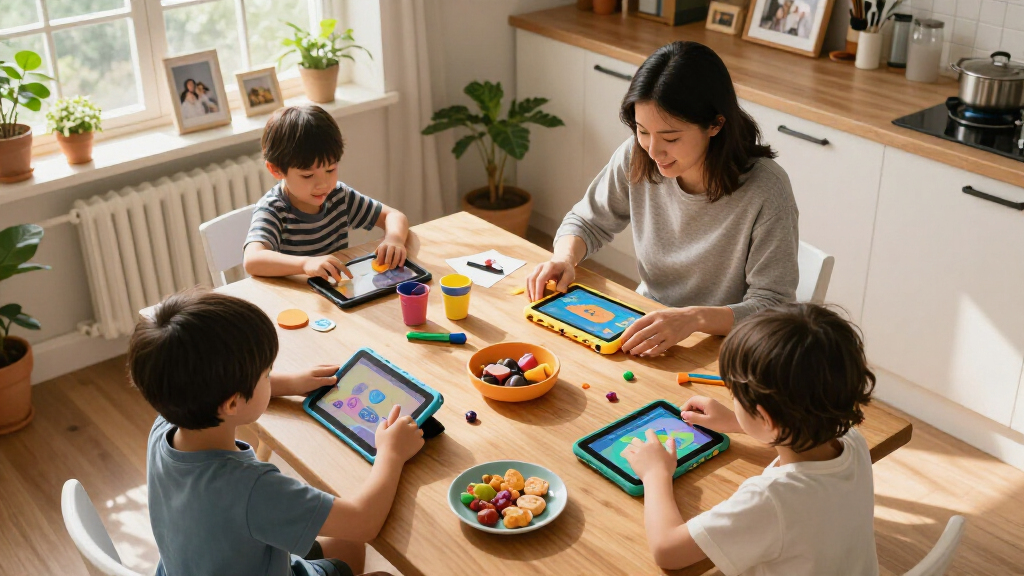

Choosing between kids’ educational tablets comes down to three things: how locked-down the software is, how well the tablet survives drops, and whether the learning content actually justifies the price. The Amazon Fire 7 Kids Tablet stands out as my best overall pick because its curated content library, robust parental controls, and two-year worry-free replacement guarantee cover the essentials better than any budget Android rival. If raw value matters most, the Trayoo Kids Tablet delivers a durable case and parental controls at a lower price, while the LeapFrog LeapPad Academy is the strongest choice for parents who want a closed learning system rather than an open Android tablet. The main tradeoff in this category is versatility versus safety — full Android tablets do more but demand more parental setup, while locked-down learning tablets limit what kids can access but need less policing. Read on for the full breakdown of all 13 tablets and who each one suits best.

Turn the school run and nap time into listening time
- Thousands of audiobooks, podcasts and originals
- Listen on your phone, tablet or Echo — also offline
- Cancel anytime
Complete the kit


Key Takeaways
- Closed ecosystems (Amazon Fire Kids, LeapFrog LeapPad Academy) beat generic Android tablets on safety and curated learning content, but they limit what kids can do as they grow older.
- Hardware specs barely separate the budget Android tablets — the Trayoo, HOTTABLET, YosaToo, and both generic 7-inch models are nearly identical on paper, so software and case design become the real differentiators.
- The 10-inch options (COLORROOM, Aiprotablet, EDDBNi) make more sense for kids aged 7 and up; younger children handle 7-inch tablets better and the smaller screens cost far less to replace.
- The Aiprotablet’s keyboard, mouse, and stylus bundle is the only pick here that genuinely supports schoolwork, making it the closest thing to a productivity tablet in the lineup.
- The Hahaland 5-Language tablet is a toy, not a tablet — it’s the right pick for toddlers aged 1-3 but should be skipped entirely for any child over four.


| kids’ educational tablet | Display | RAM | Storage | Processor |
|---|---|---|---|---|
| LeapFrog LeapPad Academy Kids’ | 7 inches, shatter-safe | — | — | — |
| Trayoo Kids Tablet 7-inch Todd | 7 inches HD, 1024 x 600 | 2 GB | 32 GB, expandable to 64 GB | Quad-core 1.6GHz |
| EDDBNi Kids Tablet 10 inch And | 10 inches | 6 GB | 64 GB | — |
| HOTTABLET Kids Tablet 7 inch A | 7-inch IPS, 1024 x 600 | 4GB (2GB + 2GB virtual) | 32 GB | Quad-core CPU |
| COLORROOM 2026 Upgraded Androi | 10.1-inch HD, 1280 x 800, anti-blue light | 10GB (4GB + 6GB virtual) | 64 GB, expandable to 1 TB via MicroSD | Unisoc Octa-core T606, 2 GHz |
| Kids 7-inch Tablet with Parent | 7-inch IPS, 1024×600 | 4GB | 32GB, expandable to 512GB via microSD | Quad-core |
| Hahaland 5-Language Learning T | — | — | — | — |
| Kids 7-Inch Tablet with Educat | 7-inch HD IPS | — | — | Allwinner |
| Kids Tablet | 7-inch IPS HD touchscreen | 3GB | 32GB ROM, expandable to 1TB via microSD | Quad-core 1.6GHz (up to 1.8GHz) |
| Kids Tablet | 7-inch | 4GB (including 2GB extended) | 32GB ROM, microSD up to 1TB | — |
| YosaToo Kids Tablet | 7 inches | 4GB | 32GB, expandable to 64GB | Rockchip 1.5 GHz |
| Amazon Fire 7 Kids Tablet | 7-inch, 1024 x 600 | 2GB | 16GB or 32GB, expandable to 1TB via microSD | Quad-core 2.0 GHz |
| Aiprotablet Kids Tablet | 10-inch IPS, 1280×800 | 30GB (6+24GB) | 64GB, expandable to 2TB via microSD | Octa-core 2.2GHz T7280 |
More Details on Our Top Picks
LeapFrog LeapPad Academy Kids’ Learning Tablet, Green
LeapFrog LeapPad Academy earns the top spot because it is the only tablet here built around a closed, educator-approved content library rather than an open Android store. With over 20 preloaded learning apps and a three-month trial of LeapFrog Academy, the curriculum feels intentional — reading, math, and problem-solving — instead of a loose collection of third-party apps. Compared with the Trayoo Kids Tablet, which relies on generic Android apps, the LeapPad gives parents far less to police. The shatter-safe 7-inch screen, included stylus, and kickstand make it genuinely suited to the 3-8 age range. The tradeoff is real, though: full access to the deeper content library requires a subscription after the trial ends, and the hardware lags behind Android rivals when multiple apps are open.
Pros:- Educator-designed learning apps rather than loosely curated third-party content
- Shatter-safe 7-inch screen with a silicone bumper and kickstand built for rough handling
- Strong parental controls for screen time and web content
- Stylus included to support early writing and fine-motor skills
Cons:- Full content access requires a LeapFrog Academy subscription after the 3-month trial
- Ages 3-8 only; older kids will outgrow it quickly
- Reported slowdowns when loading multiple apps
Best for: Parents of 3-8 year olds who want a curriculum-driven, walled-garden device with minimal setup and supervision
Not ideal for: Budget-conscious families unwilling to pay an ongoing subscription, or anyone buying for kids over 8 who will outgrow the content
- Brand:LeapFrog (VTech)
- Age Range:3-8 years
- Operating System:Android 10 (custom LeapFrog interface)
- Display:7 inches, shatter-safe
- Included Accessories:Removable silicone bumper with kickstand, stylus, USB-C cable, wall adapter
- Preloaded Content:20+ learning apps, 3-month LeapFrog Academy trial
- Warranty:2 years limited
Our verdict“Buy this if you want a true learning-first tablet for a young child and accept the subscription cost; skip it for older kids or subscription-averse households.”
Trayoo Kids Tablet 7-inch Toddler Learning Tablet with Parental Control, Durable Case, WiFi, YouTube, Android 11
For shoppers who want a capable kids’ tablet without recurring fees, the Trayoo 7-inch delivers the best balance of price and function in this lineup. Unlike the LeapFrog LeapPad Academy, which gates its best content behind a subscription, Trayoo’s preloaded learning apps work offline and keep working forever. The kid-proof case handles the drops that come with toddler ownership, and parental controls cover both screen time and content filtering. The compromises are typical of budget Android hardware: a 1024 x 600 display is fine for learning apps but noticeably soft next to the COLORROOM’s 1280 x 800 panel, the quad-core chip favors patience, and older Android 11 software limits some newer app compatibility. Around 8 hours of battery is respectable but shrinks fast with video.
Pros:- Preloaded educational apps work fully offline with no subscription
- Durable kid-proof case absorbs drops and bumps
- Parental controls cover screen time and content filtering
- HD display includes eye-protection technology
Cons:- Android 11 restricts access to some newer apps and updates
- Battery life falls short of the quoted 8 hours under video-heavy use
Best for: Budget-minded parents of kids 3+ who want offline learning apps and no subscription costs
Not ideal for: Children under 3 due to small-parts choking risk, or families wanting long video sessions — battery drains faster than claimed with heavy streaming
- Display:7 inches HD, 1024 x 600
- Processor:Quad-core 1.6GHz
- RAM:2 GB
- Storage:32 GB, expandable to 64 GB
- Battery:5000 mAh, approx. 8 hours
- Operating System:Android 11
- Cameras:Dual cameras
- Connectivity:WiFi, Bluetooth
Our verdict“The smartest low-cost pick here if you want subscription-free learning content and can live with modest hardware.”
EDDBNi Kids Tablet 10 inch Android Tablet with Case, Quad Core, 64GB, Dual Camera, Parental Controls, 2.4G WiFi, Educational
The EDDBNi K10 is the entry point into 10-inch kids’ tablets, and screen size is its whole argument. A 10-inch display makes drawing apps, e-books, and video lessons far more comfortable than any 7-inch option here, and with 6GB of RAM and 64GB of storage it out-specs the Trayoo on paper at a similar tier. But the buyer feedback tells the real story: a is below average for this roundup, and the listing is vague on battery capacity and charging speed — two things that matter enormously for a device kids cart around all day. Compared with the COLORROOM 2026, another 10-inch option, the EDDBNi lacks Google Kids Space and clear software support. It’s a reasonable pick if a big screen is the priority; it’s a gamble if reliability is.
Pros:- 10-inch display is far better than 7-inch rivals for reading and creative apps
- 6GB RAM and 64GB storage exceed most budget kids’ tablets
- Protective case included
- Dual cameras support video calls with grandparents or remote learning
Cons:- Manufacturer provides little battery and charging documentation
- No named educational software ecosystem like Google Kids Space
Best for: Families who want a large 10-inch screen for drawing, reading, and video lessons at the lowest possible price
Not ideal for:
- Brand:EDDBNi
- Model:K10
- Display:10 inches
- RAM:6 GB
- Storage:64 GB
- Cameras:Dual cameras
- Connectivity:2.4G WiFi (802.11g)
- Included:Tablet, case
Our verdict“Worth it only if a big screen at a low price is your single priority; otherwise the COLORROOM or Trayoo are safer bets.”
HOTTABLET Kids Tablet 7 inch Android with Parental Control, 4GB RAM, 32GB ROM, Dual Camera, Silicone Case (Pink)
The HOTTABLET 7-inch finds its niche as a first tablet for early elementary kids, pairing Android 12 — newer software than either the Trayoo (Android 11) or the LeapPad Academy (Android 10) — with a soft silicone case sized for small hands. The IPS display with eye-protection mode is a genuine advantage for young children doing nightly reading or letter-tracing apps, and 4GB of RAM keeps app switching smoother than the Trayoo’s 2GB. What holds it back from a higher ranking is the 3000mAh battery: it’s roughly 40% smaller than the Trayoo’s 5000mAh cell, so the quoted 8 hours is optimistic for anything beyond light use. Cameras are basic 2MP/5MP units, fine for video calls, useless for anything more.
Pros:- Android 12 is the newest OS among the 7-inch budget options here
- IPS display with eye-protection mode suits extended reading and learning sessions
- 4GB RAM makes app switching smoother than 2GB rivals
- Durable silicone case fits small hands
Cons:- 3000mAh battery is the smallest in this batch and limits real-world use time
- 2MP/5MP cameras are poor beyond basic video calls
- 32GB storage fills quickly with apps and videos
Best for: Parents buying a first tablet for a young child who value current software and an eye-friendly screen over battery endurance
Not ideal for: Long car rides or all-day use — the small 3000mAh battery runs dry well before rival tablets
- Display:7-inch IPS, 1024 x 600
- Operating System:Android 12.0
- Processor:Quad-core CPU
- RAM:4GB (2GB + 2GB virtual)
- Storage:32 GB
- Battery:3000mAh, up to 8 hours
- Cameras:2MP front / 5MP rear
- Warranty:1 year
Our verdict“A solid first tablet for around the house if you can charge it daily; travelers should pick a bigger-battery option like the Trayoo.”
COLORROOM 2026 Upgraded Android 15 Kids Tablet, 10.1-inch, Octa-core CPU, 10GB+64GB+1TB Expand, Parental Control, Big Battery, Pink
If a tablet needs to last through several school years, the COLORROOM 2026 is the strongest hardware in this batch. It runs Android 15 with Google Kids Space — the only curated Google learning environment here — and its Unisoc T606 octa-core chip with 10GB of RAM makes it dramatically faster than the quad-core EDDBNi K10 despite both having 10-inch screens. The 6000mAh battery rated up to 12 hours comfortably beats the HOTTABLET’s 3000mAh and the Trayoo’s 5000mAh, and 64GB of storage expandable to 1TB means apps, books, and downloaded lessons won’t hit a wall. The anti-blue-light 1280 x 800 display is a step up from every 7-inch option. Tradeoffs: expansion requires a separately sold MicroSD card, and all this hardware costs more than most rivals — overkill for a 4-year-old who mostly watches videos.
Pros:- Octa-core CPU and 10GB RAM deliver genuinely smooth multitasking and app loads
- Android 15 with Google Kids Space provides a curated, current learning environment
- Up to 12 hours of battery life leads this lineup
- Storage expands to 1TB for years of accumulated content
Cons:- MicroSD card for expansion is sold separately
- Priced above most rivals in this roundup
- Real battery life drops below 12 hours with heavy video or gaming
Best for: Families with kids 6-12 who want one tablet that handles schoolwork, Google Kids Space content, and entertainment for years
Not ideal for: Toddlers and light users — the premium hardware and price are wasted on a child who mostly streams cartoons
- Display:10.1-inch HD, 1280 x 800, anti-blue light
- Processor:Unisoc Octa-core T606, 2 GHz
- RAM:10GB (4GB + 6GB virtual)
- Storage:64 GB, expandable to 1 TB via MicroSD
- Operating System:Android 15 with Google Kids Space
- Battery:6000mAh, up to 12 hours
- Camera:Supports 4K UHD video recording
- Included:Tablet, EVA case, USB cable, manual
Our verdict“The pick for a long-term, grow-into-it tablet for school-age kids; a cheaper option like the Trayoo makes more sense for the very young.”
Kids 7-inch Tablet with Parental Controls, 32GB, Android 12, Pink
This pink 7-incher stands out for running Android 12, the newest OS in this batch of budget kids tablets, which matters if you want app compatibility to hold up over the next few years. Compared with the Android 11 tablet (B0CFGFFDTT), it also doubles the RAM to 4GB, so menus and pre-loaded learning apps feel less sluggish during longer sessions. The shockproof case with an adjustable stand makes it a sensible pick for younger kids who prop the tablet on a table for video lessons. The tradeoffs are real, though: the battery capacity is undisclosed, and the 1024×600 screen is modest next to the HOTTABLET’s sharper alternatives. It’s a capable all-rounder for the price, not a performance machine.
Pros:- Android 12 gives better long-term app compatibility than older rivals
- 4GB RAM keeps pre-installed kids apps responsive
- Shockproof case with adjustable stand suits hands-free learning
- microSD expansion up to 512GB
Cons:- Battery capacity not disclosed, making endurance a gamble
- 1024×600 display is low resolution for video content
Best for: Parents of kids aged 3-8 who want a modern OS, room to grow via 512GB microSD, and a tough case for everyday drops
Not ideal for: Families who need guaranteed long battery life for road trips or school days, since capacity isn’t specified
- Display:7-inch IPS, 1024×600
- Operating System:Android 12
- Processor:Quad-core
- RAM:4GB
- Storage:32GB, expandable to 512GB via microSD
- Cameras:2.0MP front + 2.0MP rear
- Connectivity:WiFi, Bluetooth, FM, GPS
Our verdict“This pick makes the most sense for budget-conscious families who prioritize a current OS and durability over screen sharpness.”
Hahaland 5-Language Learning Tablet Toy for Toddlers 1-3
Unlike every other entry here, the Hahaland isn’t a real tablet at all — it’s a screen-free interactive toy with 90+ modules covering letters, numbers, animals, and music in five languages. That distinction is its whole value proposition: while the Android 11 kids tablet targets ages 3-7, this one is built for the 12-month-and-up crowd whose parents want to delay screens entirely. Compared with a LeapFrog LeapPad Academy, it trades app ecosystems and WiFi for zero setup, no accounts, and no ads — you hand it over and it just works. The obvious ceiling is age: a child will outgrow it by roughly age three, and there’s no content beyond the built-in modules. Think of it as a first learning toy, not a tablet investment.
Pros:- Five-language support (English, French, Spanish, German, Italian) for early exposure
- 90+ interactive modules build vocabulary, motor skills, and problem-solving
- BPA-free, drop-tolerant design safe for unsupervised play
Cons:- Effectively obsolete once a child passes age 3
- No screen means no video, apps, or expandable content
Best for: Parents of 1-3 year olds who want multilingual early learning without introducing screens
Not ideal for: Anyone buying for a child over 3, or hoping for apps, video, or content that grows with the kid
- Age Range:12 months+
- Modules:90+ interactive activities
- Languages:English, French, Spanish, German, Italian
- Content Areas:Animals, shapes, instruments, vehicles, letters, numbers, colors
- Material:BPA-free ABS plastic
- Design:Lightweight and portable
Our verdict“The right buy for screen-cautious parents of toddlers; skip it entirely if your child is preschool age or older.”
Kids 7-Inch Tablet with Educational Apps and Long Battery Life
Where most budget kids tablets lean on WiFi and streaming, this model’s strength is preloaded offline educational content — a genuine advantage for car rides, flights, or homes with unreliable internet. The 3500mAh battery is the largest in this batch’s 7-inch tier, beating the 3000mAh cells in both the B0D52J5N3M and B0CFGFFDTT tablets, which translates to noticeably longer study sessions away from a charger. The rotatable stand and drop-resistant build round out a travel-friendly package for the 3-12 age range. The compromises: storage tops out at 128GB expansionBuy it for offline learning, not for versatility.
Pros:- Preloaded offline content works without any internet connection
- 3500mAh battery outlasts comparable 3000mAh rivals
- Lightweight, drop-resistant build with rotatable stand
- Covers a wide 3-12 age range
Cons:- Storage expansion capped at 128GB
- Allwinner processor feels basic for anything beyond learning apps
Best for: Families who travel or lack reliable WiFi and need content that works fully offline
Not ideal for: Media-heavy households wanting large app libraries, given the modest expansion ceiling and basic interface
- Display:7-inch HD IPS
- Processor:Allwinner
- Memory:2GB RAM + 32GB storage
- Expansion:microSD up to 128GB
- Battery:3500mAh lithium polymer
- Age Range:3-12 years
- Includes:Tablet, Type-C cable, charger, manual
Our verdict“A sensible pick when offline access matters more than raw specs — just temper expectations on build consistency.”
Kids Tablet, 7 inch Educational Learning Tablet for Kids 2-10, Green
This green 7-inch tablet earns a value slot by pairing full Google Play and YouTube access with a genuinely low price — something the offline-focused B0F6TWCTCR deliberately avoids. For parents who want to pull in free educational apps rather than live inside a locked library, that openness is the main draw. It also supports microSD expansion up to 1TB, matching the B0D52J5N3M and far outclassing the B0F6TWCTCR’s 128GB cap. The hanging-case design is handy for car-seat mounting. But the fine print matters: a , a 0.3MP front camera that’s useless for video calls, and a fragile build despite the case mean this is a ‘supervised use’ device, not a hand-it-and-walk-away one. Cheaper than most here, and it shows in places.
Pros:- Full Google Play and YouTube support unlocks free educational apps
- microSD expansion up to 1TB for media-heavy households
- Protective case with hanging hook suits car or crib-side mounting
- Up to 5 hours of battery life
Cons:- 0.3MP front camera is inadequate for video calls
- Reported as fragile and requiring careful handling
Best for: Budget-conscious parents of 3-7 year olds who want Google Play flexibility and car-mount convenience
Not ideal for: Buyers wanting durability or video-calling capability — the weak camera and fragile build will disappoint
- Display:7-inch IPS HD touchscreen
- Operating System:Android 11
- Processor:Quad-core 1.6GHz (up to 1.8GHz)
- RAM:3GB
- Storage:32GB ROM, expandable to 1TB via microSD
- Battery:3000mAh, up to 5 hours
- Front Camera:0.3MP, 720p video
- Age Range:3-7 years
Our verdict“The cheapest path to an open Android ecosystem for young kids — accept the fragility and weak camera as the price of admission.”
Kids Tablet, 7 inch Android Tablet with Parental Control, Shockproof Case, Kickstand, WiFi6
Two specs set this tablet apart from the rest of the 7-inch field: WiFi 6, which no other entry in this batch offers and which keeps streaming learning videos smooth on congested home networks, and 1TB microSD expansion matched only by the B0CFGFFDTT. The shockproof case with built-in kickstand holds its own against the pink B0F9L1R9N1’s adjustable stand, and dual cameras with flash edge out the 2MP fixed units elsewhere here. At up to 6 hours of stated use, battery life leads this tier, though real-world results will dip with video. The caveats are structural: 4GB of listed RAM includes 2GB of virtual extension, so expect closer to budget-tablet performance than the numbers suggest, and the 7-inch screen feels cramped next to 10-inch options like the EDDBNi.
Pros:- WiFi 6 delivers the fastest, most stable wireless of any tablet here
- 1TB microSD expansion for large offline libraries
- Kickstand-equipped shockproof case for hands-free viewing
- Dual cameras with flash outclass fixed 2MP rivals
Cons:- 4GB RAM includes 2GB virtual memory, so real performance is lower than listed
- 7-inch screen is cramped compared with 10-inch alternatives
- 6-hour battery claim varies considerably with video use
Best for: Tech-savvy families on busy home networks who store lots of downloaded content and want the fastest WiFi in this price class
Not ideal for: Older kids or media-heavy users who’d chafe against the small 7-inch screen and mid-tier real performance
- Display:7-inch
- RAM:4GB (including 2GB extended)
- Storage:32GB ROM, microSD up to 1TB
- Battery:3000mAh, up to 6 hours
- Cameras:Dual cameras with flash
- Connectivity:WiFi 6, Bluetooth
- Case:Shockproof with kickstand
Our verdict“The best-connected small tablet in this lineup for families who value fast WiFi and storage headroom over screen size.”
YosaToo Kids Tablet, 7-inch Android Tablet for Kids 3-12
Most kids’ tablets in this roundup assume a Wi-Fi connection, but the YosaToo stands out for preloaded offline learning content — a real advantage for car rides, flights, or homes where screen time happens away from the router. Compared with the Amazon Fire 7 Kids, it offers a fuller Android experience with Play Store access and Google Kids Space, giving parents far more app flexibility than Amazon’s walled-garden approach. The 4GB of RAM also edges out the Fire 7’s 2GB, which matters if your child jumps between apps. The tradeoff: storage tops out at 64GB even with expansion, well below the 1TB-2TB ceilings on the Fire 7 or Aiprotablet, and battery life isn’t clearly documented. Amazon’s 10-hour claim simply isn’t matched here on paper.
Pros:- Works fully offline with preloaded educational apps
- Full Android with Play Store and Google Kids Space
- Shockproof silicone case with built-in adjustable stand
- Strong parental controls for screen time and content
Cons:- Storage caps at 64GB even with expansion
- No official battery life figure
Best for: Families who travel frequently or need educational content that works without Wi-Fi
Not ideal for: Parents who want guaranteed long battery life for all-day use, since no runtime is officially specified
- Display:7 inches
- Operating System:Android 16
- RAM:4GB
- Storage:32GB, expandable to 64GB
- Processor:Rockchip 1.5 GHz
- Camera:HD 720p
- Battery:13.3Wh lithium polymer
- Warranty:30-day replacement/refund, lifetime tech support
Our verdict“Pick this if offline access to learning apps matters more to you than maximum storage or proven battery life.”
Amazon Fire 7 Kids Tablet, 7-inch, 16 GB, Blue
For roughly the price of a couple of picture books, the Fire 7 Kids bundles a year of Amazon Kids+ — ad-free books, games, and videos that would cost more than the tablet itself if bought separately. That makes it the easiest entry point in this roundup for the 3-7 age group, with simpler, more curated parental controls than open Android options like the YosaToo. The catch is the ecosystem lock-in: once the Kids+ subscription lapses, much of the value disappears unless you renew. Internal storage is also tight at 16GB (only ~9.5GB usable), and unlike the Aiprotablet’s accessory bundle, nothing beyond the case is included. Still, up to 10 hours of battery beats every other 7-inch pick here, and microSD expansion up to 1TB softens the storage problem.
Pros:- 1-year Amazon Kids+ subscription included
- Up to 10 hours of battery life
- Kid-proof case built for drops
- microSD expansion up to 1TB
Cons:- Only ~9.5GB usable internal storage
- Kids+ subscription required after year one
- No Google Play Store access
Best for: Parents of 3-7 year olds who want a cheap, durable first tablet with curated, ad-free content
Not ideal for: Anyone wanting a general Android tablet, since there’s no Play Store and content depends on Amazon’s subscription
- Display:7-inch, 1024 x 600
- Processor:Quad-core 2.0 GHz
- RAM:2GB
- Storage:16GB or 32GB, expandable to 1TB via microSD
- Battery Life:Up to 10 hours
- Weight:15.1 ounces
- Cameras:2MP front and rear, 720p video
- Extras:USB-C, Bluetooth, kid-proof case
Our verdict“The cheapest way to give a young child safe, curated educational content — as long as you’re comfortable living in Amazon’s ecosystem.”
Aiprotablet Kids Tablet, 10-inch Android Tablet with Case, Keyboard, Mouse, Stylus, Pink
Where other tablets in this roundup are consumption devices, the Aiprotablet is built like a mini laptop for kids — the included keyboard, mouse, and stylus turn it into a genuine typing-and-drawing workstation for school-age children. Its octa-core 2.2GHz chip and 30GB of combined RAM make it the most powerful performer here, comfortably ahead of the quad-core Fire 7 or the single-core-clock YosaToo. The 10-inch 1280×800 screen also gives it an edge for reading and videos over the 7-inch picks. Two honest drawbacks: the pink-only colorway and accessory availability limit its appeal, and like the YosaToo, many features depend on internet connectivity despite the offline claims of some rivals. Expansion to 2TB requires buying a microSD card separately, which adds hidden cost to the budget price.
Pros:- Keyboard, mouse, and stylus included for productivity learning
- Octa-core processor with 30GB combined RAM for smooth multitasking
- Large 10-inch 1280×800 IPS display
- Over 8 hours battery with 2-hour fast charging
Cons:- microSD card required to reach 2TB expansion
- Some features need an internet connection
- Accessories and single pink colorway limit appeal
Best for: School-age kids (6+) who need a tablet for typing practice, homework, and drawing, not just videos
Not ideal for: Toddlers and young kids — the 10-inch size and productivity accessories are overkill for ages 3-5
- Display:10-inch IPS, 1280×800
- Processor:Octa-core 2.2GHz T7280
- RAM:30GB (6+24GB)
- Storage:64GB, expandable to 2TB via microSD
- Operating System:Android 16
- Battery Life:8+ hours use, 7 days standby
- Charging Time:2 hours
- Included:Case, keyboard, mouse, stylus
Our verdict“The pick for parents who want a tablet that teaches real computer skills, provided their child is old enough to use a keyboard.”
How We Picked
I evaluated each tablet against four buyer-relevant criteria. Safety and parental controls came first: a kids’ tablet lives or dies by how well it limits screen time, filters content, and prevents accidental purchases. Age-appropriate learning value came second — a tablet full of generic Android apps scores lower than one with genuinely structured educational content matched to a developmental stage. Durability was third, because every one of these will be dropped, chewed on, or crammed into a backpack. Finally, I weighed value over time: whether the tablet still works for your child a year later or gets outgrown within months.
The ranking logic follows a simple principle: tablets that solve the parenting side of the equation outrank those that just pack in hardware specs. That’s why the Amazon Fire 7 Kids and LeapFrog LeapPad Academy sit near the top despite modest internals, while spec-heavy Android tablets like the COLORROOM rank lower than their octa-core chips suggest they should. Generic-brand 7-inch tablets with near-identical spec sheets were ordered by software quality and case design, since that’s where they actually differ.
| kids’ educational tablet | Operating System |
|---|---|
| LeapFrog LeapPad Academy Kids’ | Android 10 (custom LeapFrog interface) |
| Trayoo Kids Tablet 7-inch Todd | Android 11 |
| EDDBNi Kids Tablet 10 inch And | — |
| HOTTABLET Kids Tablet 7 inch A | Android 12.0 |
| COLORROOM 2026 Upgraded Androi | Android 15 with Google Kids Space |
| Kids 7-inch Tablet with Parent | Android 12 |
| Hahaland 5-Language Learning T | — |
| Kids 7-Inch Tablet with Educat | — |
| Kids Tablet | Android 11 |
| Kids Tablet | — |
| YosaToo Kids Tablet | Android 16 |
| Amazon Fire 7 Kids Tablet | — |
| Aiprotablet Kids Tablet | Android 16 |
Factors to Consider When Choosing Kids’ Educational Tablets
Before picking a specific model, it helps to understand what actually separates a tablet your child will learn from versus one that becomes a YouTube machine with a protective case. These are the factors that shaped my rankings and should shape your decision.Closed Ecosystem vs. Open Android
This is the single biggest decision and most parents get it backwards. Closed systems like the Amazon Fire Kids and LeapFrog LeapPad come with curated, age-appropriate content and parental controls that work out of the box — but your child will eventually outgrow the content library. Open Android tablets like the YosaToo or Trayoo grow with your child and support any app, but the parental controls are only as good as the setup you perform, and cheap Android builds sometimes ship with glitchy control apps. A common mistake is buying an open Android tablet for a 3-year-old because it has better specs; a preschooler gains nothing from an octa-core processor but loses the safety of a curated store. Match the ecosystem to your child’s age, not to the spec sheet.
Screen Size and Age Fit
7-inch tablets suit children roughly ages 2 to 7: they’re light enough for small hands, fit standard toddler cases, and cost less when they break. 10-inch tablets like the COLORROOM and Aiprotablet work better for ages 7 and up, when reading, drawing, and typing benefit from the extra space. Bigger screens also mean bigger repair or replacement costs and heavier devices that younger kids drop more often. If you’re buying for a child under five, resist the upgrade temptation — the 7-inch models in this roundup serve that age group better at half the price.
Parental Controls That Actually Work
Every tablet on this list advertises parental controls, but implementation quality varies enormously. Amazon’s parental dashboard is the most polished, letting you set per-child profiles, daily time limits, and content filters from your own phone. Generic Android tablets typically use a pre-installed third-party control app, and on budget hardware these apps can be slow, confusing, or easy for a determined eight-year-old to work around. Before buying, check whether the controls are time limits, app whitelisting, and web filtering — all three — or just one of the three. A tablet with weaker hardware but reliable controls beats a fast tablet your child can bypass.
Storage and Expansion Reality Check
Don’t be dazzled by claims like 1TB or 2TB expandable storage on budget tablets. Expansion refers to microSD support, and a 32GB tablet with a slow processor will struggle with large apps regardless of how much storage you add. What matters more is base RAM (3-4GB minimum for smooth Android use) and internal storage of at least 32GB, since educational apps, offline videos, and OS updates consume space fast. The 16GB Amazon Fire 7 is the weakest on paper here, which is acceptable only because its closed ecosystem keeps storage demands predictable. For open Android tablets, treat anything under 32GB as a false economy.
Content Access and Hidden Costs
The sticker price rarely tells the whole story. Amazon’s kids’ edition bundles a subscription-style content service for the first year, after which it becomes a recurring cost unless you cancel. Generic Android tablets advertise free pre-installed educational apps, but the quality ranges from genuinely useful to ad-heavy filler — plan to spend time curating what stays installed. LeapFrog’s content is built in with no subscription, which is simpler but less extensive. Budget an extra $20-50 per year for content on open tablets, and factor that into your value comparison before choosing a cheap model over a mid-priced one.
Durability and Case Quality
Most kids’ tablets ship with a bundled shockproof case, but case quality differs more than the spec sheets admit. Look for thick corner bumpers, a built-in kickstand, and port covers — the kickstand matters more than parents expect because it changes how kids actually use the tablet for drawing and video. A silicone shell protects against short drops but not against a child standing on the screen, which is where Amazon’s two-year replacement guarantee becomes the real durability feature rather than the case itself. If a budget tablet lacks a replacement policy, a cracked screen usually means buying a whole new device, so durability is partly about the warranty, not just the rubber.
Frequently Asked Questions
Should I buy a dedicated kids’ tablet or just put parental controls on a regular tablet?
For children under about eight, a dedicated kids’ tablet usually wins because the parental controls are built into the operating system rather than layered on top, making them harder to bypass. Regular tablets also tend to have glass backs, fragile screens, and access to the full app store the moment a control app fails. A dedicated kids’ tablet bundles a drop-proof case, curated content, and time management from day one, which saves hours of setup and ongoing policing. The exception is older children (roughly 9+) who need a tablet for schoolwork — at that point a regular or hybrid device like the Aiprotablet with keyboard support makes more sense than a locked-down kids’ model.
Is a learning tablet toy like the Hahaland good enough instead of a real tablet?
For toddlers aged one to three, yes — and it’s often the better choice. Toy learning tablets like the Hahaland teach letters, numbers, and words through physical buttons and audio, with no screen-time concerns, no WiFi, and no way for a toddler to wander into inappropriate content. A real tablet at that age mostly becomes a video player, and the fine-motor demands of a touchscreen frustrate very young children. The tradeoff is lifespan: a toddler will outgrow a toy tablet within a year or two, while a real kids’ tablet can serve ages three through ten. Many families use the toy tablet first and graduate to something like the Fire 7 Kids or YosaToo around age three or four.
Why is the Amazon Fire 7 Kids only 16GB — will that be a problem?
For most young children, no, and here’s why: the Fire’s closed ecosystem means storage is consumed almost entirely by the curated kids’ content library, which Amazon manages tightly. There’s no temptation to install large games, no random app accumulation, and content can be deleted and re-downloaded as needed. On an open Android tablet, 16GB would be a serious limitation because apps, videos, and downloads pile up unpredictably. Where it does become a constraint is offline use — if you travel frequently and want lots of downloaded videos, storage fills up faster than you’d expect. For typical home use with WiFi, though, the small storage is a manageable tradeoff for the tablet’s other strengths.
Are the generic-brand Android kids’ tablets safe and reliable enough?
They’re more reliable than their prices suggest, but with real caveats. Brands like Trayoo, YosaToo, and HOTTABLET run standard Android with pre-installed parental control apps, and the hardware — usually quad-core chips with 3-4GB of RAM — handles kids’ apps fine. The risks are slower software updates, occasionally buggy control apps, and pre-installed software of varying quality that you’ll want to review and prune yourself. Compared with a name-brand device, expect less long-term support and a higher chance of quirks like slow boot times or a camera that’s barely functional. If you’re comfortable spending an hour on setup and periodic check-ins, the savings are real; if you want zero-maintenance safety, pay more for a closed ecosystem.
What age should a child be before getting their first tablet, and which type suits that age?
Most child-development guidance suggests waiting until around age two or three before introducing a tablet, and starting with heavily curated, time-limited use. For that first tablet, a closed ecosystem — the Amazon Fire Kids or LeapFrog LeapPad Academy — is the safer starting point because every piece of content has been vetted and sessions naturally structure themselves. Toy learning tablets work even earlier for pure learning play without screen exposure. Open Android tablets suit roughly ages six and up, once a child can navigate apps responsibly and you’ve set firm time rules. Starting with a cheaper 7-inch model also limits the loss when — not if — the first tablet gets damaged.
Conclusion
After comparing all 13 tablets, the right pick depends less on specs and more on your child’s age and how much setup you’re willing to do. For best overall, the Amazon Fire 7 Kids Tablet wins on ecosystem, parental controls, and the replacement guarantee — it’s the most complete package for most families. For best value, the Trayoo Kids Tablet delivers durable hardware and functional parental controls at the lowest realistic price point for a real tablet. For best for beginners and younger kids, the LeapFrog LeapPad Academy offers the safest, most structured introduction to learning content, while the Hahaland toy tablet is the right pre-tablet choice for toddlers aged one to three. For best premium, the COLORROOM Android 15 tablet brings modern software and strong specs, and for school-age kids who need a productivity device, the Aiprotablet with its keyboard, mouse, and stylus is the only option here that bridges play and actual schoolwork. Skip the middle-of-the-road generic 7-inch Android models unless price is the deciding factor — they work, but the alternatives above do their jobs better for similar money.
Fall Picks
fall essentials
As an affiliate, we earn on qualifying purchases.