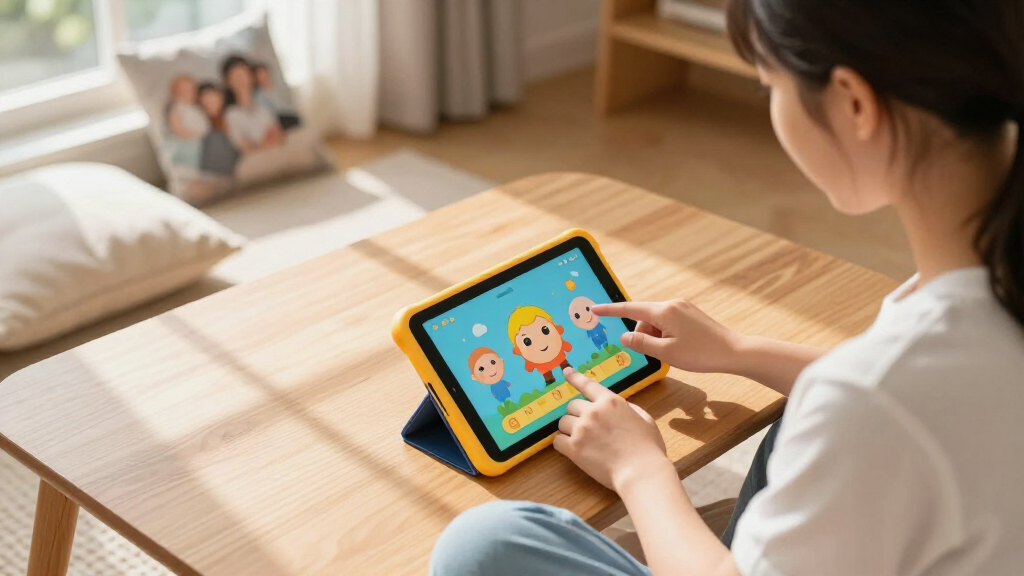

The best children’s educational tablet for most kids is the Amazon Fire HD 8 Kids Tablet (2024 Release), thanks to its balanced screen size, protective case, parental controls, and included Kids+ content. The Amazon Fire 7 Kids Tablet is the stronger value choice for families seeking a smaller, simpler device, while the LeapFrog LeapPad Academy offers a more focused learning environment for younger beginners. The main choice is between a controlled educational system and a flexible Android-style tablet that can support more apps but may require more setup. Buyers also need to weigh screen size, offline access, durability, storage, and the cost of subscriptions or added content. Continue reading for the full breakdown of all 13 options and the buyer types each one suits best.

Turn the school run and nap time into listening time
- Thousands of audiobooks, podcasts and originals
- Listen on your phone, tablet or Echo — also offline
- Cancel anytime
Complete the kit


Key Takeaways
- The amazon.com/dp/B0CVDNM64T?tag=healthykidplay-20&ascsubtag=dc-647967″ target=”_blank” rel=”nofollow sponsored noopener”>Fire HD 8 Kids (2024 Release) leads the lineup because it combines a child-friendly case, manageable parental controls, 64GB of storage, and a screen large enough for reading without becoming cumbersome.
- Amazon Fire 7 Kids offers the clearest value proposition, but its smaller display and 16GB capacity make it better for basic learning, travel, and younger children than for long-term app growth.
- LeapFrog models provide the most focused learning experience; the LeapPad Academy suits early independent learning, while the LeapPad Ultimate Ready for School targets school-readiness activities with less entertainment-oriented flexibility.
- The 10-inch Android models favor versatility over simplicity. amazon.com/dp/B0G64B2C55?tag=healthykidplay-20&ascsubtag=dc-647967″ target=”_blank” rel=”nofollow sponsored noopener”>Aiprotablet and COLORROOM devices advertise more memory and expansion than the Fire or LeapFrog picks, yet their educational value depends heavily on the apps and controls a parent configures.
- Age fit matters more than headline specifications: the Hahaland toy and LeapTop Touch make more sense for toddlers developing basic language and motor skills, while the Fire HD 8 Kids Pro is better matched to older kids who need broader access.
| LeapFrog LeapPad Academy Kids’ Learning Tablet |  | Best Guided Learning | Age range: 3–8 years | Display: 7-inch shatter-safe screen | Operating system: Android 10 | VIEW LATEST PRICE | See Our Full Breakdown |
| Trayoo 7-inch Kids Tablet |  | Best Budget Android Pick | Display: 7-inch low-blue-light LCD | Resolution: 1024 x 600 | Processor: Quad-core | VIEW LATEST PRICE | See Our Full Breakdown |
| Aiprotablet 10-inch Kids Tablet |  | Best Large-Screen Flexibility | Display: 10-inch IPS | Resolution: 1280 x 800 | Processor: Unisoc T606 octa-core, up to 1.6GHz | VIEW LATEST PRICE | See Our Full Breakdown |
| Amazon Fire 7 Kids Tablet |  | Best Compact Tablet for Younger Kids | Age range: 3–7 years | Display: 7-inch touchscreen, 1024 x 600 | Processor and memory: Quad-core 2.0GHz, 2GB RAM | VIEW LATEST PRICE | See Our Full Breakdown |
| Fire HD 8 Kids Pro Tablet |  | Best Overall for Older Kids | Age range: 6–12 years | Display: 8-inch HD touchscreen, 1280 x 800 | Processor and memory: Hexa-core 2.0GHz, 3GB or 4GB RAM | VIEW LATEST PRICE | See Our Full Breakdown |
| LeapFrog LeapPad Ultimate Ready for School Tablet |  | Best for Preschool Curriculum | Screen size: 7 inches | Screen protection: Shatter-safe screen | Protective design: Built-in bumper | VIEW LATEST PRICE | See Our Full Breakdown |
| Aiprotablet Kids Tablet 10-inch Android 16 |  | Best Accessory Bundle | Display: 10.1-inch HD | Processor: Octa-core 2.2GHz | RAM: 30GB stated | VIEW LATEST PRICE | See Our Full Breakdown |
| Amazon Fire HD 8 Kids Tablet (2024 Release) |  | Best Overall | Display: 8-inch HD touchscreen, 1280 x 800 | Processor: Hexa-core 2.0GHz | RAM: 4GB | VIEW LATEST PRICE | See Our Full Breakdown |
| LeapFrog 2-in-1 LeapTop Touch |  | Best First Learning Toy | Age range: 2-5 years | Learning modes: 5 | Activities: ABCs, numbers, games, music, and messages | VIEW LATEST PRICE | See Our Full Breakdown |
| COLORROOM 2026 Upgraded Android 15 Kids Tablet |  | Best Big-Screen Android Pick | Display: 10.1-inch eye-friendly HD | Operating system: Android 15 | Processor: Octa-core T606, 2GHz | VIEW LATEST PRICE | See Our Full Breakdown |
| Hahaland 5-Language Learning Tablet Toy for Toddlers 1-3 |  | Best Multilingual Screen-Free Pick | Age range: 12 months to 3 years | Learning modules: 90+ | Languages: English, French, Spanish, German, and Italian | VIEW LATEST PRICE | See Our Full Breakdown |
| Kids Tablet 7 inch Android 12.0, 4GB RAM, 32GB ROM, Parental Control, Dual Camera, Shockproof Case (Blue) |  | Best Compact Tablet for Expandable Storage | Display: 7-inch IPS | Operating system: Android 12.0 | Processor: Quad-core | VIEW LATEST PRICE | See Our Full Breakdown |
| Kids 7-Inch Tablet with Offline Learning Apps and Parental Controls |  | Best for Offline Learning | Age range: 3-12 years | Display: 7-inch HD IPS | Processor: Allwinner | VIEW LATEST PRICE | See Our Full Breakdown |
| children’s educational tablet | Display | Age range | Processor |
|---|---|---|---|
| LeapFrog LeapPad Academy Kids’ | 7-inch shatter-safe screen | 3–8 years | — |
| Trayoo 7-inch Kids Tablet | 7-inch low-blue-light LCD | — | Quad-core |
| Aiprotablet 10-inch Kids Table | 10-inch IPS | — | Unisoc T606 octa-core, up to 1.6GHz |
| Amazon Fire 7 Kids Tablet | 7-inch touchscreen, 1024 x 600 | 3–7 years | — |
| Fire HD 8 Kids Pro Tablet | 8-inch HD touchscreen, 1280 x 800 | 6–12 years | — |
| LeapFrog LeapPad Ultimate Read | — | 3-6 years | — |
| Aiprotablet Kids Tablet 10-inc | 10.1-inch HD | — | Octa-core 2.2GHz |
| Amazon Fire HD 8 Kids Tablet | 8-inch HD touchscreen, 1280 x 800 | — | Hexa-core 2.0GHz |
| LeapFrog 2-in-1 LeapTop Touch | — | 2-5 years | — |
| COLORROOM 2026 Upgraded Androi | 10.1-inch eye-friendly HD | — | Octa-core T606, 2GHz |
| Hahaland 5-Language Learning T | — | 12 months to 3 years | — |
| Kids Tablet 7 inch Android 12. | 7-inch IPS | — | Quad-core |
| Kids 7-Inch Tablet with Offlin | 7-inch HD IPS | 3-12 years | Allwinner |
More Details on Our Top Picks
LeapFrog LeapPad Academy Kids’ Learning Tablet
I rank the LeapFrog LeapPad Academy as the strongest guided-learning option because its 20-plus included apps give kids ages 3–8 a clearer educational path than a general-purpose tablet. Compared with the Amazon Fire 7 Kids Tablet, it places structured activities ahead of streaming and entertainment, while the stylus supports drawing and early writing practice. The shatter-safe 7-inch screen, silicone bumper, and kickstand also suit younger children who may be rough with electronics. That focused design creates its main tradeoff: families wanting a broad selection of standard Android apps may find Android 10 and LeapFrog’s curated environment limiting. Full access to the Academy library also requires payment after the trial. I place it above cheaper Android models for age-appropriate educational direction, but below more flexible tablets for long-term versatility.
Pros:- More than 20 included learning apps provide useful activities immediately
- Shatter-safe screen and removable bumper suit younger kids
- Stylus supports drawing, handwriting, and fine-motor practice
- Parental controls include content and time-management tools
Cons:- Full LeapFrog Academy access requires a subscription after the trial
- Android 10 limits compatibility with some newer apps
- Curated educational environment offers less flexibility than a Fire or standard Android tablet
Best for: Parents of children ages 3–8 who want guided learning activities, controlled screen time, and hardware designed for younger hands
Not ideal for: Families seeking current mainstream Android apps or a large content library without an ongoing subscription
- Age range:3–8 years
- Display:7-inch shatter-safe screen
- Operating system:Android 10
- Included learning apps:More than 20
- Input:Included stylus
- Protective hardware:Removable silicone bumper with kickstand
- Charging:USB Type-C cable and wall adapter included
- Warranty:2-year limited warranty
Our verdict“I recommend this for younger kids who need a guided educational tablet rather than an open-ended entertainment device.”
Trayoo 7-inch Kids Tablet
The Trayoo 7-inch Kids Tablet makes my list as the budget-oriented choice for families wanting both learning apps and ordinary Android flexibility. Unlike the LeapFrog LeapPad Academy, it runs Android 11 and supports internet access, giving parents more freedom to add educational or entertainment content. Its 2GB of RAM and quad-core processor are suited to basic apps, videos, and simple games, but buyers should not expect quick performance during heavier multitasking. The included case and low-blue-light display make it more child-friendly than an unprotected entry-level tablet, while offline resources give kids something to use away from Wi-Fi. Compared with the Amazon Fire 7 Kids Tablet, however, Trayoo lacks the same bundled content subscription and stated long battery life. Storage is also modest unless expanded, and the small-parts warning makes it unsuitable for children under three.
Pros:- Android 11 offers broader app flexibility than a closed learning platform
- Preloaded educational resources can work without Wi-Fi
- Low-blue-light display is designed for more comfortable viewing
- Protective case and parental controls are included
Cons:- 2GB of RAM may feel slow with demanding apps or multiple tasks
- 32GB storage can fill quickly without a memory-card upgrade
- Small parts create a choking hazard for children under 3
Best for: Budget-conscious families with children ages 3 and older who want offline learning apps plus access to general Android content
Not ideal for: Children under age 3 or households expecting fast multitasking and generous built-in storage
- Display:7-inch low-blue-light LCD
- Resolution:1024 x 600
- Processor:Quad-core
- Operating system:Android 11
- Memory:2GB RAM
- Storage:32GB, expandable to 64GB
- Cameras:Dual cameras
- Connectivity:Wi-Fi and Bluetooth
Our verdict“I see this as a practical low-cost tablet for kids ages 3 and older when app flexibility matters more than premium performance.”
Aiprotablet 10-inch Kids Tablet
I give the Aiprotablet 10-inch Kids Tablet the large-screen role because its 1280 x 800 IPS panel provides more room for reading, videos, and touch-based lessons than the 7-inch Amazon Fire 7 Kids Tablet. The octa-core processor, Android 16 software, and 64GB of storage also make it better suited to a wider mix of learning and entertainment apps. A microSD ceiling of 1TB is useful for families storing videos and offline material, although the card costs extra. Its 6000mAh battery and fast-charging support add everyday convenience. Still, size alone does not make it the safest pick for younger kids: the supplied information gives little detail about drop protection or build quality. The memory description is also confusing, combining 4GB of physical RAM with 20GB of extended memory. Compared with the Fire HD 8 Kids Pro, this offers more screen space but less established child-focused hardware support.
Pros:- 10-inch IPS display gives educational apps and videos more viewing room
- 64GB internal storage expands by up to 1TB
- Octa-core processor is better suited to varied apps than basic quad-core models
- Parental controls and content filtering support supervised use
Cons:- Durability and protective-case details are not clearly documented
- Maximum storage requires a separately purchased microSD card
- Advertised memory combines physical and extended RAM, which can overstate real multitasking capacity
Best for: Families with kids ages 3 and older who want a roomy display, broad Android app access, and ample expandable storage
Not ideal for: Parents prioritizing proven drop protection, a compact travel design, or a clearly defined physical-memory specification
- Display:10-inch IPS
- Resolution:1280 x 800
- Processor:Unisoc T606 octa-core, up to 1.6GHz
- Operating system:Android 16
- Memory:4GB physical RAM plus 20GB extended memory
- Storage:64GB, expandable by up to 1TB
- Battery:6000mAh
- Connectivity:Wi-Fi, Bluetooth, and FM radio
- Security:Parental controls and face recognition
Our verdict“I favor this for kids who benefit from a larger learning canvas, provided parents accept less certainty about durability.”
Amazon Fire 7 Kids Tablet
The Amazon Fire 7 Kids Tablet earns my compact pick because its manageable size, protective case, and controls are well matched to kids ages 3–7. Compared with the Trayoo 7-inch Kids Tablet, Amazon adds a one-year Kids+ subscription and a stated battery life of up to 10 hours, creating a more complete package for books, videos, and educational activities. It is also smaller and lighter than the Fire HD 8 Kids Pro, making it easier to pack or hold, though the Pro model has a sharper screen, more storage, and longer battery life. The Fire 7’s biggest constraint is its 16GB capacity, of which only 9.5GB is available; a microSD card helps with media, but some apps still need internal space. Its 2GB of RAM and 1024 x 600 display also place it firmly in the basic-use category, and Kids+ becomes a recurring expense after the included year.
Pros:- Kid-proof case is included for everyday drop protection
- One year of Amazon Kids+ supplies ad-free educational and entertainment content
- Up to 10 hours of battery life supports travel and extended use
- Detailed parental controls help manage content and screen time
Cons:- Only 9.5GB of the 16GB storage is available to the user
- 2GB RAM and a basic display limit performance and visual detail
- Continued Kids+ access costs extra after the included year
Best for: Families with kids ages 3–7 who want a compact, protected tablet with ready-to-use educational content
Not ideal for: Older children who need faster performance, a sharper display, or enough internal storage for many apps
- Age range:3–7 years
- Display:7-inch touchscreen, 1024 x 600
- Processor and memory:Quad-core 2.0GHz, 2GB RAM
- Storage:16GB, 9.5GB available; microSD expansion up to 1TB
- Battery life:Up to 10 hours
- Weight:15.1 ounces
- Cameras:2MP front and rear, 720p video
- Ports:USB-C and microSD slot
- Wireless:Dual-band Wi-Fi and Bluetooth
Our verdict“I recommend the Fire 7 for younger kids who need a small, sturdy content tablet and can work within modest performance limits.”
Fire HD 8 Kids Pro Tablet
I rank the Fire HD 8 Kids Pro as the best all-around choice for kids ages 6–12 because it balances child controls with hardware that should remain useful as schoolwork and media needs grow. Its 8-inch 1280 x 800 screen, 64GB of storage, and up to 13-hour battery life are all meaningful upgrades over the Amazon Fire 7 Kids Tablet. Compared with the 10-inch Aiprotablet, it sacrifices screen space but offers a more compact child-focused package and a year of Amazon Kids+ content. The hexa-core processor and 3GB or 4GB memory configurations are better suited to varied apps than entry-level 2GB models. Buyers still face tradeoffs: the 5W charger can take nearly five hours, some apps must occupy internal storage, and the subscription costs extra after year one. At 17.9 ounces, it is also less comfortable for small hands than the Fire 7, making this better for older kids than preschoolers.
Pros:- 8-inch HD screen offers more detail and workspace than 7-inch models
- 64GB internal storage leaves substantially more room for apps and downloads
- Up to 13 hours of battery life is the longest among these five picks
- One year of Amazon Kids+ and parental controls create a strong older-kid package
Cons:- Included 5W adapter can require nearly five hours for a full charge
- Some apps cannot be moved to expanded microSD storage
- Heavier than the Fire 7 and less comfortable for very young children
Best for: Families with children ages 6–12 who want longer battery life, ample storage, and age-managed access to books, videos, and learning apps
Not ideal for: Preschoolers who need a lighter tablet or families unwilling to pay for Kids+ after the included year
- Age range:6–12 years
- Display:8-inch HD touchscreen, 1280 x 800
- Processor and memory:Hexa-core 2.0GHz, 3GB or 4GB RAM
- Storage:64GB, 54GB available; microSD expansion up to 1TB
- Battery life:Up to 13 hours
- Charging:USB-C; under 5 hours with included 5W adapter
- Weight:17.9 ounces
- Cameras:2MP front and 5MP rear with 1080p video
- Ports:USB-C, microSD, and 3.5mm audio jack
Our verdict“I recommend this as the most balanced educational and entertainment tablet for older kids who have outgrown preschool-focused models.”
LeapFrog LeapPad Ultimate Ready for School Tablet
I rank the LeapFrog LeapPad Ultimate as the strongest curriculum-focused choice for children ages 3 to 6. Its adaptive learning system adjusts activities to a child’s progress, while the shatter-safe 7-inch screen and built-in bumper suit preschool handling. Compared with the Amazon Fire HD 8 Kids, it provides a more controlled learning environment with fewer paths into general entertainment or unrestricted browsing. That focus also creates its main limitation: families cannot access the same broad app selection available on an Android or Fire tablet. Although more than $195 in content is included, additional app purchases may be needed to maintain variety. I would choose this for structured early learning, but not as a flexible family tablet that a child can keep using well beyond kindergarten.
Pros:- Adaptive learning adjusts activities to the child’s progress
- Shatter-safe screen and built-in bumper suit younger kids
- Includes more than $195 in educational content
- Restricted browsing creates a focused learning environment
Cons:- Much less flexible than Fire or Android tablets
- Additional apps may require separate purchases
- Battery life and storage capacity are not stated
Best for: Parents of children ages 3 to 6 who want guided, adaptive preschool activities in a durable device
Not ideal for: Families seeking open web access, mainstream Android apps, or a tablet that can grow far beyond the preschool years
- Screen size:7 inches
- Screen protection:Shatter-safe screen
- Protective design:Built-in bumper
- Age range:3-6 years
- Learning system:Adaptive learning technology
- Included content value:$195+
Our verdict“This is my curriculum-first pick for preschool kids who need durability and guided learning more than a broad app library.”
Aiprotablet Kids Tablet 10-inch Android 16
The Aiprotablet Kids Tablet earns its place by combining a 10.1-inch display with a keyboard, mouse, stylus, and protective case. I see it as a better fit for children beginning typed assignments or creative projects than the LeapFrog LeapPad Ultimate, which is built around preschool activities. The octa-core 2.2GHz processor and stated 30GB RAM should give apps ample breathing room, while expansion up to 2TB leaves space for downloaded lessons and videos. Yet the specification sheet may be more than a young child needs, and the unusually high RAM figure deserves verification before purchase. Its large body is also less manageable than an 8-inch Fire HD 8 Kids. With eight-plus hours of use, this is a capable desk-and-travel bundle, though its unknown price makes its value harder to judge.
Pros:- Keyboard, mouse, stylus, case, and tablet form a versatile starter bundle
- Large display gives learning apps and typed work more room
- Expandable storage supports a substantial offline content library
- Parental controls help adults manage children’s access
Cons:- The stated 30GB RAM figure may need confirmation from the seller
- A 10.1-inch tablet is less comfortable for small hands than compact models
- Maximum expansion requires a separately purchased microSD card
Best for: School-age kids who will use a keyboard, mouse, and stylus for introductory assignments, drawing, and media
Not ideal for: Preschoolers who need a smaller device or buyers who want clearly documented hardware specifications and pricing
- Display:10.1-inch HD
- Processor:Octa-core 2.2GHz
- RAM:30GB stated
- Internal storage:64GB
- Expandable storage:MicroSD support up to 2TB
- Operating system:Android 16
- Battery:Over 8 hours of use; up to 7 days standby
- Included accessories:Protective case, keyboard, mouse, and stylus
Our verdict“I would pick this for kids who need a ready-made keyboard and stylus bundle, provided an adult verifies the memory claims and price.”
Amazon Fire HD 8 Kids Tablet (2024 Release)
I place the Amazon Fire HD 8 Kids at the top because it balances child-friendly hardware, manageable size, dependable battery life, and a deep content service better than the other picks. Its 8-inch screen gives kids more viewing room than the LeapFrog LeapPad Ultimate without becoming as bulky as the 10.1-inch Aiprotablet. The Kid-Proof Case doubles as a stand and handle, while parental controls let adults shape content and screen time. A six-month Amazon Kids+ subscription makes the tablet useful quickly, but its automatic renewal introduces an ongoing cost. The Fire app ecosystem is also less open than standard Android, and some apps must occupy internal storage even when a microSD card is fitted. Still, up to 13 hours of battery life makes this the most balanced educational and entertainment choice for kids ages 3 to 7.
Pros:- Balanced 8-inch size works well for young kids
- Kid-Proof Case provides carrying, standing, and impact protection
- Amazon Kids+ supplies ad-free educational and entertainment content
- Up to 13 hours of battery life suits long journeys
Cons:- Amazon Kids+ renews automatically after six months
- Fire OS offers less app freedom than standard Android
- Some apps cannot be moved to expandable storage
Best for: Families with kids ages 3 to 7 who want a durable, easy-to-manage tablet for learning, reading, videos, and trips
Not ideal for: Buyers who want an unrestricted Android app selection or do not want a subscription that renews automatically
- Display:8-inch HD touchscreen, 1280 x 800
- Processor:Hexa-core 2.0GHz
- RAM:4GB
- Internal storage:64GB
- Expandable storage:MicroSD support up to 1TB
- Battery life:Up to 13 hours
- Dimensions:8.7 x 7.1 x 1.1 inches
- Weight:18.3 ounces (518 grams)
- Included extras:Kid-Proof Case, USB-C charger, and 6-month Amazon Kids+ subscription
Our verdict“This is my best overall tablet for kids because it pairs strong parental controls and durable hardware with enough battery life for full-day use.”
LeapFrog 2-in-1 LeapTop Touch
I treat the LeapFrog 2-in-1 LeapTop Touch as a learning toy rather than a full tablet, which is exactly why it works for children ages 2 to 5. The convertible laptop-and-tablet design, A-Z keyboard, and number buttons introduce device-style play without web access, app stores, or complicated parental settings. Compared with the Amazon Fire HD 8 Kids, it offers far less content and no general-purpose apps, but it is simpler for toddlers to operate independently. Five modes cover letters, numbers, games, music, and pretend messages, supporting repetition and role-play rather than open-ended screen activities. Its narrow age range limits longevity, and the included batteries are intended for demonstrations, so replacements may be needed immediately. I rank it below true tablets for versatility, yet its low-complexity learning format is better matched to very young beginners.
Pros:- Simple controls are approachable for toddlers
- Converts between laptop and tablet-style play
- Five modes combine early academics, music, and role-play
- No open web access or app store to manage
Cons:- Not a full tablet and cannot run downloadable learning apps
- Limited age range gives it a shorter useful life
- Included demo batteries may need prompt replacement
Best for: Toddlers and preschoolers ages 2 to 5 who are ready for basic letters, numbers, music, and pretend computer play
Not ideal for: Older children or families needing downloadable apps, video lessons, web access, or a full touchscreen tablet
- Age range:2-5 years
- Learning modes:5
- Activities:ABCs, numbers, games, music, and messages
- Form factor:Converts between laptop and tablet modes
- Controls:A-Z keyboard and number buttons
- Power:3 AA batteries
- Included items:LeapTop Touch and Parent’s Guide
Our verdict“I recommend this as a child’s first device-style learning toy, not as a substitute for a connected educational tablet.”
COLORROOM 2026 Upgraded Android 15 Kids Tablet
The COLORROOM Kids Tablet is my choice for families who want a large Android screen without the Aiprotablet’s extensive accessory bundle. Its 10.1-inch eye-friendly display gives kids generous space for reading, drawing, and video lessons, while Google Kids Space and parental controls help adults limit access. The 6000mAh battery is promising for travel, though the product data does not state a fixed runtime, making the Fire HD 8 Kids and its rated 13 hours easier to plan around. Android 15 offers broader app access than Amazon’s Fire platform, and 64GB storage can expand to 1TB for offline media. The tradeoffs are portability and uncertainty: a 10.1-inch model is cumbersome for younger hands, the stated 10GB memory combines physical and extended RAM, and some functions may require updates. I favor it for shared learning and media at home.
Pros:- Large eye-friendly display gives educational content ample room
- Google Kids Space and parental controls support managed use
- Android 15 provides broader app access than Fire OS
- Storage expansion up to 1TB supports offline lessons and media
Cons:- Large 10.1-inch body may be awkward for small children
- No specific battery-runtime rating is supplied
- The 10GB memory claim includes 6GB of extended RAM rather than all physical RAM
Best for: Families with children age 3 and older who want a roomy Android tablet for shared lessons, reading, drawing, and videos
Not ideal for: Young kids who need a compact one-handed device or travelers who require a clearly stated battery runtime
- Display:10.1-inch eye-friendly HD
- Operating system:Android 15
- Processor:Octa-core T606, 2GHz
- RAM:10GB stated (4GB physical plus 6GB extended)
- Internal storage:64GB
- Expandable storage:MicroSD support up to 1TB
- Battery:6000mAh
- Camera:Front and rear; rear supports 4K UHD video
- Included components:Tablet, EVA case, USB cable, and manual
Our verdict“I would choose this for kids who benefit from a large Android display at home and can accept extra bulk and an unspecified runtime.”
Hahaland 5-Language Learning Tablet Toy for Toddlers 1-3
I rank the Hahaland 5-Language Learning Tablet Toy as the strongest choice for toddlers hearing more than one language. Its five-language support and 90-plus touch modules connect words with animals, colors, letters, and everyday objects without placing a glowing screen in front of a one-year-old. Compared with the LeapFrog 2-in-1 LeapTop Touch, it offers broader language exposure but less pretend-computer play. It also sits apart from the Kids Tablet 7 inch Android 12.0: this is a screen-free learning toy, not a device for downloadable apps or video. I would choose it for simple repetition and portable practice, though the large selection may initially overwhelm younger toddlers. Its lessons remain basic, and ongoing battery replacement adds another expense.
Pros:- Supports English, French, Spanish, German, and Italian
- Offers more than 90 interactive early-learning modules
- Screen-free format suits younger toddlers
- BPA-free portable shell is designed for active handling
Cons:- Lessons are limited to basic early-learning subjects
- The number of icons may overwhelm some one-year-olds
- Requires batteries, with runtime and battery type unspecified
Best for: Parents of children aged 1-3 who want screen-free vocabulary practice across English and four European languages
Not ideal for: Families seeking downloadable lessons, video content, or a device that can grow into school-age coursework
- Age range:12 months to 3 years
- Learning modules:90+
- Languages:English, French, Spanish, German, and Italian
- Material:BPA-free ABS plastic
- Interface:Interactive icons
- Play format:Screen-free sensory learning
Our verdict“I recommend this for multilingual families seeking a durable, screen-free educational tablet toy for very young kids.”
Kids Tablet 7 inch Android 12.0, 4GB RAM, 32GB ROM, Parental Control, Dual Camera, Shockproof Case (Blue)
I place the Kids Tablet 7 inch Android 12.0 here for families who want a compact device without being confined to its built-in storage. The 512GB expansion ceiling leaves far more room for educational apps, downloaded videos, and photos than the Kids 7-Inch Tablet with Offline Learning Apps, which stops at 128GB. Its 4GB of RAM should also provide more breathing room than that model’s 2GB, although the quad-core processor still marks this as a basic kids’ device rather than a fast gaming tablet. A shockproof case and parental controls make it more child-ready than a standard budget Android slate. I would also expect the seven-inch display to feel cramped for split-screen tasks.
Pros:- Storage expands from 32GB to as much as 512GB
- 4GB RAM offers more headroom than basic 2GB kids’ tablets
- Shockproof case adds drop protection
- Parental controls support content and screen-time management
Cons:- Battery runtime is not stated
- Software update and long-term support details are missing
Best for: Families wanting a small Android tablet that can hold a large library of downloaded educational apps and media
Not ideal for: Buyers who need documented all-day battery life, long software support, or a spacious screen for school assignments
- Display:7-inch IPS
- Operating system:Android 12.0
- Processor:Quad-core
- Memory:4GB RAM
- Storage:32GB, expandable to 512GB
- Cameras:2MP front and 5MP rear
- Battery:11Wh lithium-ion
- Connectivity:Wi-Fi, Bluetooth, and USB Type-C
- Audio:3.5mm headphone jack
Our verdict“I would pick this for kids who need portable Android learning and unusually generous storage, provided battery certainty is not a priority.”
Kids 7-Inch Tablet with Offline Learning Apps and Parental Controls
I rank the Kids 7-Inch Tablet with Offline Learning Apps as the better travel choice for children who need lessons ready before leaving home. Its preloaded games, videos, and creative activities reduce setup work and make learning less dependent on a reliable connection. Compared with the Kids Tablet 7 inch Android 12.0, it provides a clearer out-of-box educational focus and a stated 3500mAh battery, but its 2GB of RAM and 128GB expansion limit offer less performance and storage headroom. The wide age claim of 3-12 years is ambitious; older kids may quickly outgrow the basic Allwinner hardware and small screen. I like the lightweight, durable design for car rides and outdoor use, while parental controls help shape access. Still, the moderate rating and one-month return period weaken its appeal for cautious buyers.
Pros:- Preloaded educational content works offline
- 3500mAh battery supports portable learning sessions
- Parental controls manage content and screen time
- Lightweight, durable design includes eye-protection features
Cons:- 2GB RAM and an Allwinner processor may feel slow with heavier apps
- 128GB expansion limit trails the competing Android 12.0 model
Best for: Traveling families who want preloaded educational activities for children aged 3-8 with limited reliance on connectivity
Not ideal for: Older children who need demanding apps, multitasking performance, or a larger display for homework
- Age range:3-12 years
- Display:7-inch HD IPS
- Processor:Allwinner
- Memory:2GB RAM
- Storage:32GB, expandable to 128GB
- Battery:3500mAh
- Included components:Tablet, Type-C cable, charger, and manual
- Return coverage:One month free return
Our verdict“I recommend this for younger kids who need ready-to-use offline lessons on trips more than speed or broad app flexibility.”

How We Picked
I ranked these tablets by how well they support age-appropriate learning, not by hardware figures alone. My main criteria were the quality and focus of the available educational content, the clarity of parental controls, ease of setup, durability, screen suitability, offline usefulness, storage, and likely ownership cost. I also weighed whether each model gives kids room to grow or creates extra work for parents. That approach favors the Fire HD 8 Kids (2024 Release) over Android tablets with larger advertised memory figures because its family controls, protective design, and content package form a more cohesive experience.
The ordering also reflects distinct buyer needs. Smaller Fire and generic 7-inch models gained ground for portability and price, LeapFrog devices ranked well for focused early education, and the Fire HD 8 Kids Pro earned its place through added freedom for older children. Large Android models scored higher when their storage, accessories, or display could support homework and creative activities, but lower when setup demands or uncertain content quality weakened their appeal. Toddler learning toys were judged as purpose-built beginner devices rather than compared directly with full tablets on processor speed or storage.
| children’s educational tablet | Processor |
|---|---|
| LeapFrog LeapPad Academy Kids’ | — |
| Trayoo 7-inch Kids Tablet | Quad-core |
| Aiprotablet 10-inch Kids Table | Unisoc T606 octa-core, up to 1.6GHz |
| Amazon Fire 7 Kids Tablet | — |
| Fire HD 8 Kids Pro Tablet | — |
| LeapFrog LeapPad Ultimate Read | — |
| Aiprotablet Kids Tablet 10-inc | Octa-core 2.2GHz |
| Amazon Fire HD 8 Kids Tablet | Hexa-core 2.0GHz |
| LeapFrog 2-in-1 LeapTop Touch | — |
| COLORROOM 2026 Upgraded Androi | Octa-core T606, 2GHz |
| Hahaland 5-Language Learning T | — |
| Kids Tablet 7 inch Android 12. | Quad-core |
| Kids 7-Inch Tablet with Offlin | Allwinner |
Factors to Consider When Choosing Children’s Educational Tablets
I would choose a children’s tablet by starting with the child’s developmental stage and the amount of freedom the parent wants to manage. A faster processor or larger storage figure has limited value if the interface, apps, or physical design do not fit the child. The sections below explain the tradeoffs that often matter after the initial product comparison.
Match the Device Type to the Child’s Age
Toddler learning toys, closed educational tablets, and full Android devices serve very different purposes even when retailers group them together. For ages one to three, physical buttons, spoken prompts, simple repetition, and short activities may be more useful than a large app library. Preschool and early-elementary children can benefit from a guided tablet such as a LeapFrog model, which reduces distractions and keeps navigation manageable. Older kids may outgrow that closed system and get more from a Fire Kids Pro or configurable Android model. Buying too much tablet too early often leaves parents managing menus, ads, permissions, and unsuitable apps. I would prioritize developmental fit over future-proof specifications, then allow modest room for the child to grow.
Choose Between a Curated System and an Open App Library
A curated learning system gives parents fewer content decisions and gives children a more consistent interface. The compromise is a smaller app selection, possible reliance on brand-specific downloads, and less usefulness once the child moves beyond the intended age band. Fire tablets sit in the middle: they offer a broad children’s library and structured profiles, but their ecosystem differs from a standard Google Play setup. Generic Android tablets can support a wider range of school, streaming, and creative apps, depending on their software and store access. That freedom also places more responsibility on the parent to check app quality, advertising, purchases, and privacy settings. I would choose an open platform only when flexibility outweighs setup simplicity for the household.
Look Past RAM and Storage Claims
Large memory numbers do not guarantee smooth everyday use, especially when a listing combines physical RAM with virtual memory. Processor quality, software optimization, app support, and update reliability can matter more than the headline figure. Storage deserves a closer look because videos, games, and offline lessons can fill a 16GB device quickly after system files take their share. A microSD slot helps with downloaded media, but some apps cannot be moved to external storage. Families using only a few learning apps may be satisfied with 32GB, while shared media and larger games make 64GB a more comfortable starting point. I would treat expandable storage as a useful safety net, not as a substitute for adequate internal capacity.
Balance Screen Size, Portability, and Durability
A 7-inch tablet is easier for small hands and lighter for car rides, yet text, worksheets, and split-screen activities can feel cramped. Eight-inch models offer a useful middle ground for reading and video lessons without adding much bulk. Ten-inch screens make drawing, typing, and shared viewing easier, but younger children may struggle to hold them securely. A thick case can prevent damage, though it also adds weight and may make side buttons harder to reach. I would check whether the case has a stable stand, accessible charging port, and enough raised protection around the screen. For frequent travel, comfortable handling can matter more than display size.
Calculate the Cost Beyond the Tablet
The purchase price may not include the full cost of a satisfying learning setup. Subscriptions can add strong educational value, but access may shrink when a trial ends unless the family keeps paying. Closed systems sometimes charge separately for additional games or learning packs, while open tablets may lead to several smaller app subscriptions. Replacement chargers, screen protectors, larger memory cards, headphones, and sturdier cases also affect value. Before paying more for premium hardware, I would ask whether the child will benefit from a better display, longer usable life, or broader age range. A cheaper model is the smarter buy when it supports a narrow need, but paying more makes sense for multi-year use and several types of activity.
Frequently Asked Questions
Is a LeapFrog tablet or an Amazon Fire Kids tablet better for early learning?
A LeapFrog tablet is better for focused early learning when parents want guided activities and fewer entertainment distractions. An Amazon Fire Kids tablet provides a larger content library and more room for the device to remain useful as a child gets older. That broader selection can require more parental choices about apps, time limits, and allowed content. For a preschooler who is new to independent devices, I would favor the LeapPad Academy; for mixed reading, video, games, and longer-term use, I would choose a Fire Kids model.
Is a 7-inch or 10-inch tablet better for a child?
A 7-inch tablet suits younger kids and travel because it is lighter and easier to grip. A 10-inch screen is more comfortable for drawing, typing, reading detailed pages, and watching lessons at a desk. The larger device can become tiring to hold and is more likely to be dropped when carried one-handed. Eight-inch Fire models split the difference and suit families that want both portability and readable text. I would choose based on where the tablet will be used most rather than assuming bigger is always better.
How much storage does a children’s educational tablet need?
Thirty-two gigabytes is a practical minimum for several apps and some offline media, while 64GB gives families more breathing room. A 16GB tablet can still work for basic use, but available space will be lower after the operating system and built-in software are counted. Children who download videos, large games, or many audiobooks will benefit from a microSD slot. External storage does not always hold every app, so internal capacity still matters. I would pick 64GB for multi-year use and reserve 16GB models for lighter, budget-focused needs.
Can children use these tablets without Wi-Fi?
Many models can run downloaded apps, books, videos, and lessons offline, but the content usually needs to be installed while connected to Wi-Fi. Some subscriptions require periodic internet access to verify membership or update their libraries. Products that explicitly include offline learning apps are appealing for flights and car trips, though parents should check the quality and age range of those apps. Streaming, new downloads, cloud syncing, and remote parental changes will still require a connection. I would load and open every planned activity before travel to confirm that offline mode works as expected.
Are generic Android kids tablets a better value than Amazon Fire models?
Generic Android tablets often provide larger screens, more advertised memory, and more accessories for the price. Their value depends on software stability, update support, warranty service, app-store access, and the quality of the parental-control tools. Fire models may appear less powerful on paper, but they offer a more unified child profile, content service, and support ecosystem. A technically confident parent may prefer an Aiprotablet or COLORROOM model for customization and storage expansion. For a family seeking simpler setup and predictable controls, I would give Amazon Fire the advantage.
Conclusion
For most families, my best overall pick is the Amazon Fire HD 8 Kids Tablet (2024 Release) because it balances kid-friendly protection, useful storage, parental controls, and age-appropriate content. The Amazon Fire 7 Kids Tablet is the best value for younger children, travel, and lighter app use, while the LeapFrog LeapPad Academy is my choice for beginners who benefit from a focused learning system. For older kids who need more independence, the Fire HD 8 Kids Pro is the strongest premium option; parents seeking a large screen, accessories, and broad Android flexibility should look at the higher-spec Aiprotablet bundle. The LeapFrog LeapPad Ultimate Ready for School fits school-readiness practice, and the Hahaland 5-Language Learning Tablet Toy is the more age-suitable choice for toddlers who are not ready for a full touchscreen device. I would choose among them by matching content freedom, age range, and parental workload rather than chasing the largest specification numbers.
Cold & flu season Picks
humidifiers
As an affiliate, we earn on qualifying purchases.