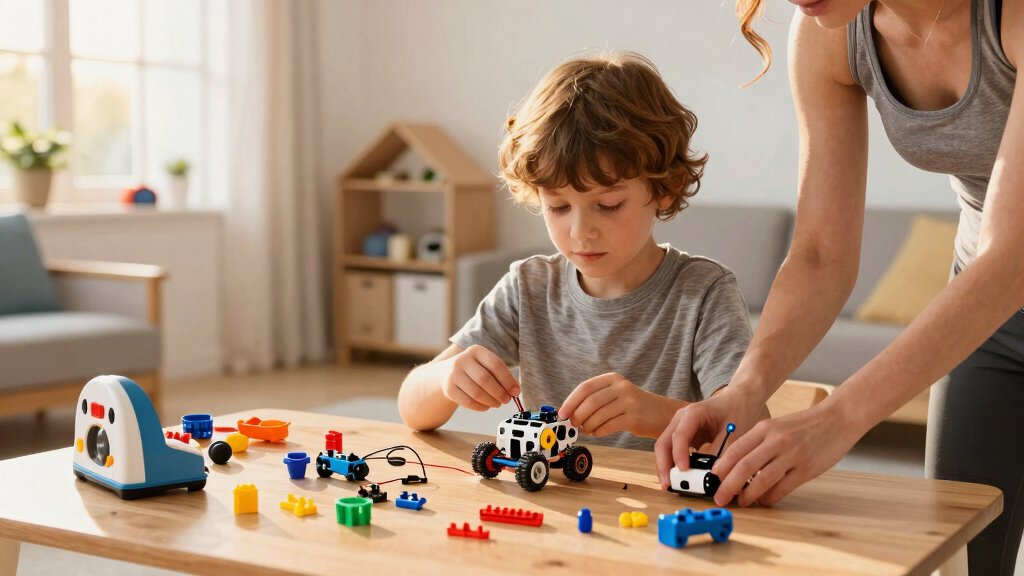

Starting with robot coding toys can be exciting yet overwhelming, especially for beginners. The best options combine ease of use, engaging learning features, and durability. The Ozobot Evo Entry Kit stands out for screen-free, color-based coding perfect for young kids, while the Sphero Bolt offers advanced programming for those ready to grow. Tradeoffs often involve balancing simplicity against expandability and price. Continue reading for a full breakdown of the top choices and what makes each unique.

Turn the school run and nap time into listening time
- Thousands of audiobooks, podcasts and originals
- Listen on your phone, tablet or Echo — also offline
- Cancel anytime
Key Takeaways
- The top picks balance ease of use with expandability, catering to different ages and skill levels.
- Screen-free options like Ozobot Evo are ideal for very young beginners, while programmable robots like Sphero Bolt suit older kids ready for complex coding.
- Compatibility with popular coding platforms such as Scratch and Arduino significantly enhances long-term learning potential.
- Durability and battery life are often overlooked but crucial factors for sustained play and learning.
- Pricing varies widely, but investing in a slightly more advanced model often offers better educational value and growth potential.


More Details on Our Top Picks
Ozobot Evo Entry Kit: Interactive STEM Coding Robot for Kids Ages 5+, Screen-Free Learning with Color Code Markers, Blockly Programming, Includes Charging Cable & Protective Case, Educator Approved
This kit stands out for its dual approach to coding education—combining screen-free Color Code Markers with Blockly programming—making it highly adaptable for different learning styles. Compared with Botley, the Ozobot Evo offers a wider range of skill levels, from beginner to advanced, ensuring long-term engagement. Its extensive library of over 700 lessons provides a comprehensive educational experience, ideal for both classroom and home use. The durable design and included accessories like a hard shell case add to its practicality. However, its setup can be slightly complex for very young children, and the online platform requires internet access. Overall, this pick makes the most sense for educators and parents seeking a scalable, all-in-one coding tool that grows with the child.
Pros:- Supports both screen-free and Blockly coding, catering to various learning preferences
- Includes extensive lesson plans and resources for comprehensive STEM education
- Durable, classroom-ready design with organized accessories
Cons:- Setup and initial use can be somewhat complex for absolute beginners
- Requires internet access for full lesson access, which may be a limitation in some environments
Best for: Parents and teachers looking for a flexible, long-term STEM learning tool for children ages 5 and up.
Not ideal for: Small children under 5 or those preferring purely screen-based coding, as the kit emphasizes multi-skill levels and offline activities.
- Maximum Age:1188 months
- Minimum Age:60 months
- Included Components:1 Evo robot, 5 dual-tip color markers, charging cable, protective case
- Size:Small
- Item Dimensions:8.5 x 6.5 x 1.8 inches
- Material Type:Plastic
Bottom line: Ideal for educators and parents who want a versatile, expandable coding robot that adapts to a child’s growing skills.
ACEBOTT Robotics Kit for Kids Ages 8-12 12-16, Smart Robot Car Kit Compatible with Arduino & Scratch, STEM Toys Coding Robot Kit with App Control, STEM Gifts for Kids and Teens
This kit makes a strong case for older children who want to deepen their coding skills, supporting Scratch, Arduino, and Python programming—more advanced than Botley’s simple interface. Compared to Makeblock mBot, it offers mobile-friendly coding, allowing kids to program on tablets and smartphones, which enhances flexibility. The kit’s real-world robotics focus and included tutorials foster hands-on learning, perfect for classroom or home projects. However, its assembly may be challenging for younger kids, and it lacks pre-programmed activities for absolute beginners. This choice makes the most sense for teens or preteens ready to explore more complex coding environments while still enjoying guided tutorials.
Pros:- Supports Scratch, Arduino, and Python for a versatile learning experience
- Allows programming on tablets and smartphones, increasing accessibility and convenience
- Includes comprehensive tutorials and building instructions for independent learning
Cons:- Assembly can be complex, potentially requiring adult supervision for younger kids
- Batteries not included, adding extra steps before use
Best for: Parents and educators seeking a robust, multi-platform coding experience for kids aged 8 to 16 who are ready for more technical projects.
Not ideal for: Children under 8 or absolute beginners who need a simpler, more guided introduction to robotics, as this kit assumes some prior familiarity with coding concepts.
- Supported Battery Types:AA batteries (not included)
- Minimum Age:96 months
- Included Components:Robot, app control, remote, tutorial
- Power Source:Battery
- Operation Mode:Manual
- Size:Medium
Bottom line: Best suited for tech-savvy kids and teens ready to tackle complex coding and robotics projects with flexible device options.
Makeblock mBot Robot Kit, Robotics for Kids Ages 8-12 Learn to Code with Scratch & Arduino, STEM Toys Science Kits for Kids Age 8+
This kit provides a straightforward entry point into robotics, combining easy-to-follow instructions with Scratch and Arduino coding support, making it ideal for beginners. Compared with ACEBOTT, it offers broader compatibility with electronic modules and LEGO parts, expanding creative possibilities. Its quick assembly process (about 15 minutes) helps keep young learners engaged without frustration. The included tutorials and software enable step-by-step learning, although it may not have as many advanced features as more complex kits. This pick makes sense for children who want a simple, reliable way to learn electronics and basic coding while still having room to explore add-ons for expanded projects.
Pros:- Supports Scratch and Arduino for a smooth transition into coding
- Fast, easy assembly suitable for younger children
- Highly compatible with a wide range of electronic modules and LEGO parts
Cons:- Limited pre-programmed activities, requiring more guidance for independent learning
- Batteries (4 AA) are not included, which may delay setup
Best for: Parents and teachers seeking a quick, accessible starter kit for children aged 8 to 12 to develop foundational robotics skills.
Not ideal for: Kids over 12 or those seeking highly advanced programming options, as this kit focuses on beginner-friendly features and basic electronics.
- Minimum Age:96 months
- Included Components:Robot kit
- Supported Programming Languages:Scratch, Arduino
- Power Source:Batteries (not included)
- Operation Mode:Manual
- Size:Small
Bottom line: Perfect for beginners who want a quick start into robotics with expandable options for future projects.
Learning Resources Botley The Coding Robot 2.0 – Robot Toy Gift Set, No-Screen Coding for Kids 5-7, STEM Robotics Kit for Beginners, Early Programming for Boys and Girls
This robot excels as an accessible, screen-free introduction to coding for children aged 5 to 7, focusing on active learning and problem-solving. Compared with Sphero Indi, Botley offers a more tangible, physical experience that doesn’t require app interaction, making it ideal for very young children. Its obstacle detection and line-following features keep kids engaged through hands-on play. The included activity set and remote control provide immediate, guided fun, although it offers fewer advanced features and customization options than Indi or Bolt. This makes perfect sense for parents wanting a simple, durable robot that introduces core STEM concepts without screens or complex setups.
Pros:- Screen-free coding with remote control enhances active learning
- Durable, lightweight design suitable for young children
- Includes obstacle detection and maze-building activities
Cons:- Limited to basic coding functions, not suitable for advanced learners
- Requires batteries (3 AAA for Botley, 2 AAA for remote), not included
Best for: Parents of children aged 5 to 7 who need a durable, easy-to-use robot to develop early coding and problem-solving skills without screens.
Not ideal for: Older children or those seeking more customizable or advanced programming features, as Botley’s scope is more introductory and activity-based.
- Minimum Age:60 months
- Included Components:Robot, remote, activity cards
- Number of Players:3
- Power Source:AAA batteries
- Size:Small
- Material Type:Plastic
Bottom line: Great for early learners needing a simple, durable robot to develop foundational STEM skills through active play.
Sphero Indi At-Home Learning Kit – Screenless Coding Robot for Kids 4+ – Build Mazes, Learn Computational Thinking – Problem Solve Like an Engineer – Educational STEM Toy for Creative Minds
This kit emphasizes creativity and problem-solving, allowing kids as young as 4 to design mazes for Indi to navigate, fostering early computational thinking. Compared with Botley, Indi offers a more open-ended, playful approach with customizable mazes and the ability to use color cards or the simplified Sphero Edu Jr app, supporting both screenless and app-based learning. Its unique maze-building activity and ability to customize Indi promote inventive thinking, making it highly engaging for young children. On the downside, the app-based features require a device, which might be a limitation for some families. Still, this choice is best for children eager to combine hands-on design with coding fundamentals in a low-pressure environment.
Pros:- Supports both screenless and app-based coding options
- Encourages creativity through maze design and customization
- Learn cause-and-effect and pattern recognition in a playful way
Cons:- Requires a compatible device for app features, which may not be available everywhere
- Some features are limited without the app, reducing complexity for older learners
Best for: Parents and teachers who want a flexible, creative robot that encourages early engineering and programming exploration for children aged 4 and up.
Not ideal for: Children over 8 or those seeking more complex programming capabilities, as Indi is geared toward foundational skills and creative play.
- Minimum Age:48 months
- Included Components:Robot, color cards, maze tiles
- Supported Platforms:Screenless and app control
- Power Source:Battery (not specified)
- Size:Small
- Material Type:Plastic, Silicone
Bottom line: Perfect for early explorers who love designing and building while learning basic coding and engineering concepts.
Learning Resources Botley the Coding Robot – Code Games for Boys and Girls, Robotics for Kids, STEM Programming, Scientific Building Toys, Engineering Gift Set
This pick shines for introducing young children to coding without screens, making it ideal for parents seeking screen-free educational toys. Unlike the Sphero Bolt, which uses app-based coding and offers more advanced programming, Botley is more straightforward, focusing on physical play and tactile learning. Its ability to grow with kids from age 5+ through features like 80-step programming and loops provides a clear developmental path. While Botley’s simplicity encourages early engagement, it does mean fewer options for more complex coding as children advance. The included accessories and obstacle courses promote problem-solving and critical thinking, making it a versatile starter. However, sharing can be tricky since only one child can control Botley at a time, which could limit group play. Overall, this is perfect for young kids just beginning their coding journey, especially in environments emphasizing hands-on learning.
Pros:- Screen-free coding experience promotes tactile and problem-solving skills
- Grows with your child with 80-step programming and obstacle detection
- Includes detachable arms and extensive accessories for creative challenges
Cons:- Limited for group play, as only one child can operate at a time
- Less suited for children beyond age 8 who want more complex coding options
Best for: Parents of children aged 5+ who want a screen-free, tactile introduction to coding and STEM concepts.
Not ideal for: Older children or those seeking advanced programming features, as Botley’s capabilities are more basic compared to app-controlled robots like Sphero Bolt.
- Ages:5+
- Programming Capability:80-step, loops, if/then logic
- Accessories:Detachable arms, coding cards, obstacle set
- Batteries:5 AAA batteries (not included)
- Mode:Screen-free remote control
- Play Options:Obstacle courses, path following
Bottom line: This robot is ideal for young beginners and families looking for a screen-free, educational introduction to coding.
ELEGOO UNO R3 Smart Robot Car Kit V4 for Arduino Robotics for Kids Ages 8-12 12-16 STEM Science Kits Coding Gifts for 8 9 10 11 12 13 14 15 16 Year Old Boys Girls Teens Cool Engineering Building Toys
This model appeals to kids ready for more technical engagement, combining building, coding, and electronics. Unlike Botley, which emphasizes simple programming, the ELEGOO kit encourages assembling and programming via Arduino, offering a deeper understanding of robotics and electronics. Its 24 modules, including obstacle avoidance and line tracing, provide a broad platform for experimentation and learning. The HD tutorial makes assembly accessible, but the need for some basic electronics knowledge can be a barrier for absolute beginners. Compared with the Sphero Bolt, which is more plug-and-play, ELEGOO requires more patience and technical skill but rewards with greater customization. The physical assembly and coding foster critical thinking, yet the complexity might be overwhelming for younger kids or those new to STEM. This kit is best for motivated kids aged 8-12 who want hands-on engineering experience and are comfortable with some initial guidance.
Pros:- Includes 24 diverse modules for robotics learning and experimentation
- Controlled via phone, tablets, or direct programming with Arduino
- HD tutorials simplify assembly and coding process
Cons:- Requires some basic electronics knowledge, which could be a barrier for absolute beginners
- Assembly process can be time-consuming and complex for new users
Best for: Children aged 8-12 interested in building and programming their own robot with electronics and Arduino-based coding.
Not ideal for: Younger children or absolute beginners who might find the assembly and coding setup too complex or intimidating.
- Ages:8-16
- Modules Included:Obstacle avoidance, line tracing, infrared remote
- Control:Phone, tablets, Arduino
- Assembly:Requires basic electronics skills
- Tutorials:HD step-by-step
- Batteries:Included rechargeable lithium-ion
Bottom line: This kit is perfect for tech-savvy kids eager to explore robotics and electronics through hands-on building and coding.
Sphero Bolt – Coding Robot Ball – Beginner to Advanced Programming – Ages 8+ – Learn to Code with Draw, Blocks, Javascript, or Python – Programmable Sensors – LED Matrix – Durable & Waterproof Design
Sphero Bolt stands out for its versatility, appealing to children from age 8+ who want to learn multiple coding languages like JavaScript and Python. Compared to Botley, which offers a screen-free, tactile experience, Bolt uses an app that supports drawing, block-based, and text-based coding, making it suitable for more advanced learners. Its programmable sensors and LED matrix provide visual feedback and data collection, which helps kids grasp system logic and data-driven decision-making. The waterproof, durable design allows for outdoor play, adding to its versatility. While Bolt is rich in features, its reliance on tablets or smartphones could be a downside for those preferring screen-free toys or younger children. Overall, this robot makes the most sense for older kids or teens aiming to deepen their coding skills and explore real-world applications.
Pros:- Supports draw, block, JavaScript, and Python coding languages
- Includes programmable sensors and LED matrix for data visualization
- Waterproof and highly durable for outdoor activities
Cons:- Requires a tablet or smartphone to operate, reducing screen-free appeal
- More complex setup and coding learning curve for beginners
Best for: Kids 8+ who want a programmable, app-controlled robot with multi-language coding options and sensor integration.
Not ideal for: Younger children or beginners seeking simple, screen-free coding toys, as Bolt’s features are geared toward more advanced users.
- Ages:8+
- Coding Languages:Draw, Blocks, JavaScript, Python
- Features:Programmable sensors, LED matrix
- Connectivity:Tablet/smartphone app
- Durability:Waterproof
- Control Mode:App
Bottom line: This robot is ideal for older children and teens ready to explore advanced coding and sensor-based projects in a digital environment.
Hyper Drive Smart-Bot Coding Robot Kit for Kids – STEM Robotics Toy with Easy Programming for Beginners – Build, Code & Play Educational Robot
This robot offers a friendly, easy-to-use introduction for children ages 5+ who enjoy voice commands and remote control, making it an excellent first robot. Unlike Botley, which emphasizes screen-free coding, the Hyper Drive Smart-Bot combines simple programming with interactive lights, sounds, and voice playback. Its remote control makes driving intuitive, and recording voice commands adds a fun, personal touch. While it is less complex than the ELEGOO kit or Sphero Bolt, it still fosters early problem-solving and sequencing skills. Its rechargeable battery ensures longer play sessions, and the colorful packaging makes it a perfect gift. However, its simplicity means limited customization or advanced programming options for older or more experienced kids. Overall, this is a fantastic starter robot for children just beginning their STEM exploration, especially those who love interactive play.
Pros:- Easy to operate with remote control and voice playback
- Includes recording feature for personalized commands
- Rechargeable lithium-ion battery offers longer playtime
Cons:- Limited programming complexity, not suitable for advanced coders
- Less customizable for users wanting deeper coding control
Best for: Children aged 5+ seeking a simple, interactive robot with voice and remote control features in a gift-ready package.
Not ideal for: Older children or those wanting in-depth coding and customization, as its features are designed for early learners.
- Ages:5+
- Features:Voice recording, lights, sounds
- Control:Remote control
- Power:Rechargeable lithium-ion
- Operation Mode:Manual with voice/sound
- Batteries:Included
Bottom line: This robot is perfect for young children starting their STEM journey with simple, interactive features and easy controls.

How We Picked
Our evaluation focused on performance, ease of use, build quality, and educational value. We prioritized products that are accessible to beginners but also offer room to grow as skills improve. We considered factors like age appropriateness, compatibility with coding platforms, durability, and price. Devices that combine intuitive interfaces with expandability earned higher ranks. Our goal was to identify options that deliver both immediate fun and ongoing learning, helping beginners build confidence and skills without frustration.
Factors to Consider When Choosing Best Robot Coding Toys For Beginners
Choosing the best robot coding toy for a beginner involves more than just features. It’s important to match the robot’s complexity to the user’s age and learning goals. Considering compatibility with coding languages like Scratch or Python ensures the toy can grow with the user. Durability and ease of setup also matter for keeping young learners engaged. Budget is a factor, but investing in a slightly more capable model can offer better value over time. Let’s explore the key considerations to help you make an informed choice.
Age and Skill Level Compatibility
Matching the robot’s complexity to the child’s age is essential. Very young kids benefit from screen-free, color-coded robots like Ozobot Evo, which introduce basic coding concepts naturally. Older children or those with some experience might prefer programmable robots like Sphero Bolt or Makeblock mBot, which support more advanced languages like Scratch and Arduino. Avoid overly complex models for absolute beginners, as frustration can hinder learning. Conversely, choosing a robot that’s too simple might limit interest as skills develop.
Educational Content and Platform Compatibility
Look for robots that support popular coding platforms such as Scratch, Blockly, or Python for broader learning opportunities. Compatibility allows children to transition from basic drag-and-drop coding to text-based programming, extending the robot’s usefulness. Some robots, like the Hyper Drive Smart-Bot, are designed specifically for beginners but also offer pathways to more advanced coding. Avoid models with proprietary or limited software, as they can restrict future growth and learning flexibility.
Durability and Ease of Setup
Beginners need a robot that can withstand regular play and occasional mishaps. Robots with sturdy construction and waterproof features tend to last longer and require fewer repairs. Ease of setup is equally important—robots that are straightforward to assemble and start coding minimize frustration. Consider battery life too; longer play sessions mean less downtime. Avoid overly complicated assembly or fragile designs that could detract from learning and fun.
Price and Long-term Value
While budget-friendly options are tempting, investing in a slightly more advanced robot can provide better educational value and adaptability. Cheaper models may lack expandability or durability, leading to quicker obsolescence. Conversely, premium models like Sphero Bolt offer a range of features that justify the higher price, especially if they can be used for years of learning. Balance your budget with the potential for growth, keeping in mind that a good robot is an investment in ongoing education.
Additional Features and Accessories
Extras like remote controls, built-in sensors, or accessories for building and customization can enhance engagement. Robots that include challenges or coding games add a layer of motivation. Some models offer app control, which can make programming more intuitive for beginners. Be cautious of models that require additional purchases for essential features, as this can increase overall costs and complicate setup.
Frequently Asked Questions
Can a beginner use a robot with advanced features?
Yes, many robots designed for beginners include features that support gradual learning. For example, robots like the Sphero Bolt have multiple modes, starting from simple, pre-programmed activities to more complex coding like JavaScript or Python. These options allow beginners to start with easy tasks and progress to more advanced programming as confidence and skills grow. However, it’s important to choose a robot whose interface and software are intuitive enough for a beginner to avoid frustration.
Are screen-free robots better for young children?
Screen-free robots like Ozobot Evo are often better suited for children under 7 because they introduce coding concepts through tangible, physical activities. These robots use color-coded markers or simple commands, which help develop foundational skills without overwhelming young learners with screens. As children grow older and more comfortable with technology, more sophisticated, app-controlled robots can provide deeper learning opportunities. The key is matching the robot to the child’s developmental stage to keep them engaged and learning effectively.
How important is expandability in a beginner robot?
Expandability is quite valuable because it extends the lifespan and educational potential of a robot. Robots that support additional modules, sensors, or programming languages allow children to grow from simple commands to complex projects. For instance, the Makeblock mBot can connect to Arduino components, offering a pathway to advanced electronics and coding. Choosing an expandable robot can make a higher initial investment worthwhile, especially if you want the device to grow with the learner’s increasing skills.
Should I prioritize price or features?
While budget is an important consideration, prioritizing features that support learning and durability usually offers better long-term value. A slightly more expensive robot with versatile programming options and sturdy construction can provide more hours of educational engagement. Cheaper models might save money upfront but often lack expandability or durability, leading to the need for replacements sooner. Think of it as an investment in sustained learning rather than just a one-time purchase.
Is it better to choose a robot with a companion app or physical controls?
Both options have their benefits. Robots with companion apps often support more complex programming and offer visual interfaces that are easier for older children and beginners alike. Physical controls or screen-free options are typically simpler and more tactile, which can be better for very young kids. The choice depends on the child’s age, interest, and learning goals. For comprehensive learning, a robot that combines both app control and physical interaction can be ideal.
Conclusion
For absolute beginners, the Learning Resources Botley The Coding Robot 2.0 offers simple, screen-free fun perfect for early learners. The Ozobot Evo Entry Kit is best for young kids just starting with coding concepts, while the Sphero Bolt suits slightly older children ready to explore more advanced programming. The Makeblock mBot provides a good balance for those wanting to grow into robotics and coding, especially with an eye on expandability. Budget-conscious buyers should consider the basics, but investing a little more can unlock a richer, longer-lasting learning experience tailored to different ages and skill levels. As an affiliate, we earn on qualifying purchases.Fall Picks
fall essentials