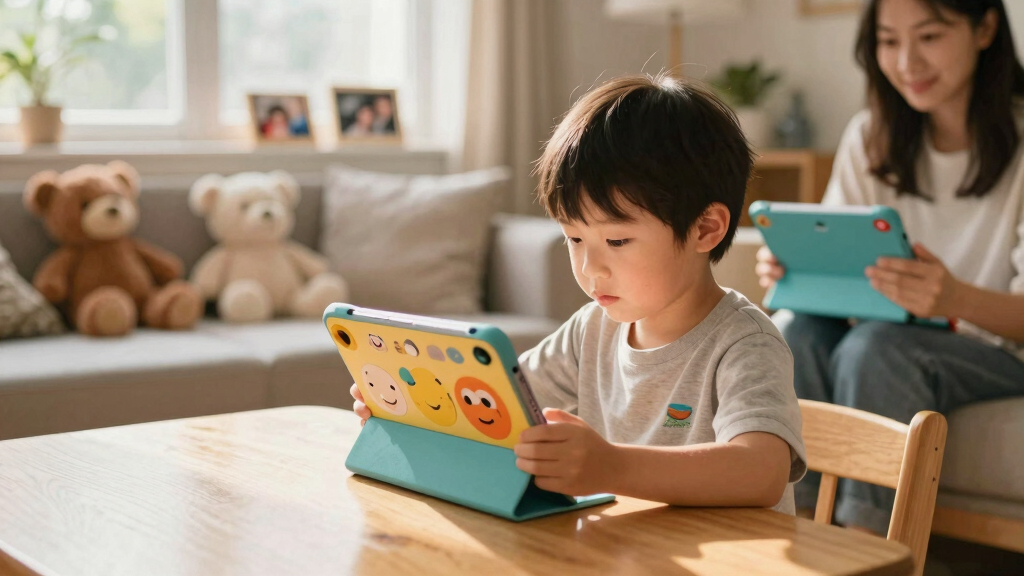

Children’s educational tablets range from focused, screen-free learning toys to full tablets with apps, videos, and parental controls. I’d choose the Amazon Fire HD 8 Kids Tablet as the best overall balance of screen size, storage, and child-focused features; the LeapFrog LeapPad Academy stands out for guided learning, while the Think Academy Learning Pad suits families who want screen-free activities. The main tradeoff is between a controlled, age-focused experience and the flexibility of a general-purpose tablet, which brings more setup and supervision. Screen size, durability, content access, and a child’s age can matter more than headline storage figures. Read on for the full breakdown and help matching a tablet to your child’s needs.

Turn the school run and nap time into listening time
- Thousands of audiobooks, podcasts and originals
- Listen on your phone, tablet or Echo — also offline
- Cancel anytime
Complete the kit


Key Takeaways
- The Fire HD 8 Kids Tablet is the strongest all-around fit when a family wants a child-oriented tablet with room for apps and media without moving up to the larger HD 10.
- LeapFrog’s LeapPad Academy and Ultimate Ready for School favor guided learning over the broad app flexibility offered by Android and Fire tablets.
- The amazon.com/dp/B0BL5SZ3VV?tag=healthykidplay-20&ascsubtag=dc-145711″ target=”_blank” rel=”nofollow sponsored noopener”>amazon.com/dp/B0BLBLRLJB?tag=healthykidplay-20&ascsubtag=dc-145711″ target=”_blank” rel=”nofollow sponsored noopener”>amazon.com/dp/B0DB1M1NN9?tag=healthykidplay-20&ascsubtag=dc-145711″ target=”_blank” rel=”nofollow sponsored noopener”>Think Academy, Peacurh, and JoyCat options are screen-free learning toys; they trade video and app access for focused activities that need less device setup.
- Seven-inch Android models are easier for small hands to carry, while 10-inch models such as the Fire HD 10 and EDDBNi K10 give videos and interactive lessons more screen space.
- Large storage claims alone do not establish better learning value; content quality, parental controls, age fit, and a protective case shape the day-to-day experience.
| LeapFrog LeapPad Ultimate Ready for School Tablet, Green |  | Best for School Readiness | Screen size: 7 inches | Age range: 3–6 years | Processor: 1.0 GHz quad-core Allwinner A33 | VIEW LATEST PRICE | See Our Full Breakdown |
| Think Academy Learning Pad – Screen-Free Educational Toy for Ages 3-5 |  | Best Screen-Free Starter | Age range: 3–5 years | Material: ABS plastic with waterproof cardstock flashcards | Play modes: Exploration, Game, Hints | VIEW LATEST PRICE | See Our Full Breakdown |
| Amazon Fire 7 Kids Tablet, 7-inch, 16 GB, Blue |  | Best for Broad Kids’ Content | Display: 7-inch touchscreen, 1024 × 600 | Age range: 3–7 years | Processor and RAM: Quad-core 2.0 GHz, 2 GB RAM | VIEW LATEST PRICE | See Our Full Breakdown |
| YINOCHE Y8 Kids Tablet, 7-Inch, 32GB, Android 11, Pink |  | Best for Managed App Access | Screen size: 7 inches | Operating system: Android 11 | Processor and RAM: Quad-core, 2 GB RAM | VIEW LATEST PRICE | See Our Full Breakdown |
| PEICHENG 7-Inch Kids Tablet, Android 12, 4GB RAM, 32GB Storage, Parental Controls, Blue |  | Best for Expandable Android Learning | Operating system: Android 12 | Screen and resolution: 7 inches, 1024 × 600 IPS | RAM: 4 GB (2 GB + 2 GB expansion) | VIEW LATEST PRICE | See Our Full Breakdown |
| Urao Kids Tablet, 10 inch Android Tablet for Kids with Case, 20GB RAM, 64GB ROM, Expandable Storage, Parental Control, Dual Camera, WiFi, Gift |  | Best for Expandable Storage | Display: 10-inch HD | Operating system: Android 16.0 | Processor: 2.0 GHz octa-core | VIEW LATEST PRICE | See Our Full Breakdown |
| TOPELOTEK 7-Inch Kids Tablet, 2GB RAM, 32GB Storage |  | Best for Offline Learning on the Go | Screen size: 7 inches | RAM: 2GB | Storage: 32GB, expandable to 128GB | VIEW LATEST PRICE | See Our Full Breakdown |
| Peacurh Trilingual Learning Toy Tablet with Music & Sound for Toddlers |  | Best for First Words and Languages | Product type: Learning toy tablet | Age range: 12–96 months | Languages: English, Spanish, French | VIEW LATEST PRICE | See Our Full Breakdown |
| LeapFrog LeapPad Academy Kids’ Learning Tablet, Green |  | Best for Guided App-Based Learning | Age range: 3–8 years | Screen: 7-inch shatter-safe | Included learning apps: More than 20 educator-approved apps | VIEW LATEST PRICE | See Our Full Breakdown |
| EDDBNi K10 Kids Tablet, 10.1-Inch, 64GB, with Protective Case and Parental Controls |  | Best for a Longer Warranty | Operating system: Android 15 | Display: 10.1-inch HD IPS, 1280 × 800 | Processor: Unisoc VIA quad-core, 1.3 GHz | VIEW LATEST PRICE | See Our Full Breakdown |
| JoyCat Kids Learning Tablet, 156 Pages, 600+ Words, 40+ Themes, 100+ Interactive Games, Phonics Talking Flash Cards, Screen-Free Toddler Learning Toy for Ages 2-6 |  | Best Screen-Free Pick | Age range: 2–6 years | Learning content: 156 pages, 600+ words, 40+ themes | Interactive games: 100+ | VIEW LATEST PRICE | See Our Full Breakdown |
| Trayoo 7-Inch Kids Tablet with Parental Controls and Protective Case |  | Best for Offline Learning | Screen: 7 inches | Resolution: 1024 × 600 | Operating system: Android 11 | VIEW LATEST PRICE | See Our Full Breakdown |
| Amazon Fire HD 10 Kids Tablet (Newest Model) – 10.1″ HD Screen, 32 GB, Blue |  | Best for a Large Learning Screen | Display: 10.1-inch 1080p Full HD | Processor: Octa-core 2.05 GHz | RAM: 3 GB | VIEW LATEST PRICE | See Our Full Breakdown |
| Amazon Fire HD 8 Kids Tablet (2024), 64GB, Blue |  | Best Compact All-Rounder | Display: 8-inch HD touchscreen, 1280 × 800, 189 ppi | Processor: Hexa-core 2.0 GHz | RAM: Listed as 3 GB or 4 GB | VIEW LATEST PRICE | See Our Full Breakdown |
| children’s educational tablet | Storage | Age range | Processor | RAM |
|---|---|---|---|---|
| LeapFrog LeapPad Ultimate Read | — | 3–6 years | 1.0 GHz quad-core Allwinner A33 | — |
| Think Academy Learning Pad | — | 3–5 years | — | — |
| Amazon Fire 7 Kids Tablet | 16 GB (9.5 GB available) or 32 GB (25 GB available) | 3–7 years | — | — |
| YINOCHE Y8 Kids Tablet | 32 GB | — | — | — |
| PEICHENG 7-Inch Kids Tablet | 32 GB | — | Quad-core | 4 GB (2 GB + 2 GB expansion) |
| Urao Kids Tablet | 64GB, expandable up to 1TB via microSD | 6–12 years | 2.0 GHz octa-core | 20GB |
| TOPELOTEK 7-Inch Kids Tablet | 32GB, expandable to 128GB | — | — | 2GB |
| Peacurh Trilingual Learning To | — | 12–96 months | — | — |
| LeapFrog LeapPad Academy Kids’ | — | 3–8 years | — | — |
| EDDBNi K10 Kids Tablet | 64GB, expandable up to 1TB via microSD | — | Unisoc VIA quad-core, 1.3 GHz | 6GB |
| JoyCat Kids Learning Tablet | — | 2–6 years | — | — |
| Trayoo 7-Inch Kids Tablet with | 32 GB, expandable to 64 GB | — | Quad-core 1.6 GHz | 2 GB |
| Amazon Fire HD 10 Kids Tablet | 32 GB; up to 1 TB via microSD | — | Octa-core 2.05 GHz | 3 GB |
| Amazon Fire HD 8 Kids Tablet | 64 GB internal; expandable up to 1 TB via microSD | — | Hexa-core 2.0 GHz | Listed as 3 GB or 4 GB |
More Details on Our Top Picks
LeapFrog LeapPad Ultimate Ready for School Tablet, Green
The LeapPad Ultimate is the most focused pick here for preschool skills: its reading, problem-solving, music, and creativity apps are aimed at children ages 3–6, and adaptive learning games adjust to a child’s progress. That makes it a more structured early-learning choice than the Amazon Fire 7 Kids Tablet, which offers a broader mix of books, games, and videos. A shatter-safe screen, built-in bumper, and play-time limits also suit families who want a tablet designed around young children. The tradeoff is flexibility: its learning focus and kid-friendly browser offer a narrower experience than the Android tablets in this group. Battery life is listed at five hours, so it may need charging sooner than the Fire 7 Kids Tablet on longer outings.
Pros:- Includes school-readiness, reading, problem-solving, music, and creativity apps
- Adaptive learning games respond to a child’s progress
- Shatter-safe screen and built-in bumper are suited to young users
- Parental controls include play-time limits and support multiple children
Cons:- Listed battery life is five hours, shorter than the Fire 7 Kids Tablet’s up to 10 hours
- Its learning-focused environment is less flexible than general Android tablets
- The 7-inch screen may feel limiting for shared reading or video
Best for: Families with children ages 3–6 who want guided preschool and kindergarten practice with parent-set play limits.
Not ideal for: Families seeking broad streaming and app options or longer unplugged sessions; its learning focus is narrower and listed battery life is five hours.
- Screen size:7 inches
- Age range:3–6 years
- Processor:1.0 GHz quad-core Allwinner A33
- Battery life:5 hours
- Headphone jack:3.5 mm
- Generation:1st Generation
- Model year:2019
Our verdict“Choose the LeapPad Ultimate for guided school-readiness activities and child-focused controls, but pick the Fire 7 Kids Tablet for longer sessions and broader media.”
Think Academy Learning Pad – Screen-Free Educational Toy for Ages 3-5
The Think Academy Learning Pad is the only option in this batch that keeps early learning screen-free. Its flashcards and sound prompts cover letters, numbers, shapes, and daily-life topics through exploration, game, and hints modes. Those activities give preschoolers a tactile alternative to the LeapFrog LeapPad Ultimate, whose apps add a screen and more varied digital practice. The Learning Pad makes sense for families who want short, focused sessions without handing over a general-purpose tablet. Its scope is also its limit: it is designed for ages 3–5 and does not offer the expanding content or app flexibility of the Amazon Fire 7 Kids Tablet. It requires batteries, and the supplied details do not say whether they are included.
Pros:- Screen-free activities use interactive sound prompts and flashcards
- Three modes offer exploration, games, and hints
- Covers early literacy, numbers, shapes, and daily-life skills
- Waterproof cardstock flashcards and ABS plastic construction
Cons:- Requires batteries, and inclusion of batteries is not specified
- Preschool-focused activities have limited appeal for older children
- Does not provide the app variety or media functions of the Fire 7 Kids Tablet
Best for: Caregivers of ages 3–5 who want letter, number, shape, and everyday-skill practice without a screen.
Not ideal for: Families wanting video, a broad app library, or learning content that grows beyond preschool topics.
- Age range:3–5 years
- Material:ABS plastic with waterproof cardstock flashcards
- Play modes:Exploration, Game, Hints
- Included:Flashcards set
- Learning areas:Alphabet, numbers, shapes, and daily-life skills
- Power:Batteries required; inclusion not specified
Our verdict“Pick the Think Academy Learning Pad for screen-free preschool practice, and choose the LeapPad Ultimate if you want a broader set of digital learning activities.”
Amazon Fire 7 Kids Tablet, 7-inch, 16 GB, Blue
The Fire 7 Kids Tablet pairs a kid-proof case and parental controls with a year of Amazon Kids+ access to books, games, and videos. That wider mix makes it a more versatile family device than the LeapFrog LeapPad Ultimate, which is more directly centered on school readiness. Its up to 10 hours of battery life also suits travel and longer stretches between charges. The tradeoff is that only 9.5 GB is available on the 16 GB version, so downloaded apps and media can fill internal storage; some apps may require installation there even with a microSD card. The 7-inch, 1024 × 600 display is compact, while PEICHENG’s 7-inch tablet adds more RAM on paper but does not include the same stated content subscription.
Pros:- Kid-proof case and parental controls are included
- Amazon Kids+ subscription provides books, games, and videos
- Battery life is listed at up to 10 hours
- MicroSD expansion supports cards up to 1 TB
Cons:- Only 9.5 GB is available on the 16 GB version
- Some apps may require internal storage even when a microSD card is used
- 1024 × 600 resolution is modest for video and detailed content
Best for: Families with children ages 3–7 who want parental controls, a protective case, and a broad mix of kids’ books, games, and videos.
Not ideal for: Caregivers who want a dedicated school-readiness curriculum or ample built-in space for downloaded apps and media.
- Display:7-inch touchscreen, 1024 × 600
- Age range:3–7 years
- Processor and RAM:Quad-core 2.0 GHz, 2 GB RAM
- Storage:16 GB (9.5 GB available) or 32 GB (25 GB available)
- Expandable storage:Up to 1 TB via microSD
- Battery life:Up to 10 hours
- Connectivity:Dual-band Wi-Fi (802.11a/b/g/n)
- Ports:USB-C, microSD slot
Our verdict“Choose the Fire 7 Kids Tablet for a durable, media-rich kids’ device with long listed battery life, and choose the LeapPad Ultimate for more targeted school-readiness activities.”
YINOCHE Y8 Kids Tablet, 7-Inch, 32GB, Android 11, Pink
The YINOCHE Y8 gives parents several ways to shape a child’s device use: controls cover screen time, websites, apps, and video channels, while included IWAWA and offline educational apps provide a starting set of activities. It suits families who want the flexibility of Android and video calling in a compact 7-inch tablet. Compared with the Fire 7 Kids Tablet, the Y8 offers a stated 32 GB of storage out of the box and supports expansion up to 512 GB, but the Fire has a named year-long content subscription and a stated kid-proof case. The Y8’s 2 GB of RAM may constrain demanding apps, and its 0.3 MP front camera is modest for calls. Its value depends on whether the included apps and controls fit a family’s needs.
Pros:- Controls cover screen time, websites, apps, and video channels
- Includes IWAWA Kids Apps and offline educational apps
- 32 GB storage expands up to 512 GB
- Dual cameras and Wi-Fi support video calling
Cons:- 2 GB RAM may limit performance with demanding apps
- Front camera is 0.3 MP and rear camera is 2.0 MP
- The listing does not specify a bundled content subscription like the Fire 7 Kids Tablet
Best for: Families seeking an Android tablet with detailed parental restrictions, offline learning apps, and video-calling capability.
Not ideal for: Children using demanding apps or families prioritizing a high-resolution camera and a clearly specified bundled content subscription.
- Screen size:7 inches
- Operating system:Android 11
- Processor and RAM:Quad-core, 2 GB RAM
- Storage:32 GB
- Expandable storage:Up to 512 GB
- Battery:3500 mAh; up to 10 hours
- Cameras:0.3 MP front, 2.0 MP rear
- Included apps:IWAWA Kids Apps and offline educational apps
Our verdict“Pick the YINOCHE Y8 for Android flexibility and fine-grained parent controls, while the Fire 7 Kids Tablet is the clearer choice for a bundled kids’ content library.”
PEICHENG 7-Inch Kids Tablet, Android 12, 4GB RAM, 32GB Storage, Parental Controls, Blue
The PEICHENG Q8K stands out among the Android options for its stated 4 GB RAM configuration—2 GB plus 2 GB expansion—and its Android 12 software. It pairs preinstalled kids’ apps and parental controls with an adjustable-stand case, giving a child a supported setup for learning or video. Compared with the YINOCHE Y8, PEICHENG lists a higher-resolution rear camera and more RAM, while both offer 32 GB storage and microSD expansion. The screen remains a constraint: its 1024 × 600 resolution is modest, and the supplied battery information gives capacity in watt-hours without a runtime estimate. There is no cellular connection, so online lessons and streaming depend on Wi-Fi. It is a flexible general-purpose kids’ tablet rather than a dedicated early-learning system like the LeapPad Ultimate.
Pros:- Android 12 and stated 4 GB RAM configuration
- 32 GB storage expands by microSD up to 512 GB
- Protective case includes an adjustable stand
- Parental controls cover screen time, profiles, apps, and web filtering
Cons:- 1024 × 600 display resolution is modest
- No cellular connectivity, so online use depends on Wi-Fi
- Battery capacity is listed, but runtime is not specified
Best for: Families who want an Android kids’ tablet with adjustable viewing support, parental controls, and expandable storage for learning apps.
Not ideal for: Families needing cellular access, a sharper display, or a device with a specifically described school-readiness curriculum.
- Operating system:Android 12
- Screen and resolution:7 inches, 1024 × 600 IPS
- RAM:4 GB (2 GB + 2 GB expansion)
- Storage:32 GB
- Expandable storage:MicroSD up to 512 GB
- Processor:Quad-core
- Cameras:2 MP front, 5 MP rear
- Battery:Lithium-ion, 11 watt-hours
- Ports:USB Type-C, 3.5 mm headphone jack
Our verdict“Choose the PEICHENG Q8K for a flexible Android setup with an included stand case and expandable storage, and choose the LeapPad Ultimate for more structured school-readiness content.”
Urao Kids Tablet, 10 inch Android Tablet for Kids with Case, 20GB RAM, 64GB ROM, Expandable Storage, Parental Control, Dual Camera, WiFi, Gift
The Urao Kids Tablet pairs a 10-inch HD display with parental controls and storage expandable up to 1TB, giving families room for learning apps and downloaded content as a child’s library grows. That larger screen is better suited to shared reading and videos than the TOPELOTEK 7-Inch Kids Tablet, though it is less compact for small hands or travel. Its silicone case adds protection, while the stated six hours of use means frequent travelers may need to plan around charging. The 64GB built-in storage is a workable start, but reaching the maximum capacity requires a separate microSD card. I’d rank it for families who value screen space and storage flexibility; the limited battery-use figure and reliance on an add-on card keep it from being the simplest all-in-one choice.
Pros:- 10-inch HD display offers more room for reading and learning apps.
- Parental controls support content and screen-time management.
- Storage can expand up to 1TB with a microSD card.
- Included silicone case helps protect the tablet.
Cons:- The listed 64GB internal storage may be limiting for large offline libraries.
- The maximum storage capacity requires a separate microSD card.
- Listed usage time is six hours, and actual battery life may vary.
Best for: Families with children ages 6–12 who want a large screen, parental controls, and room to add downloaded learning content.
Not ideal for: Families seeking a compact tablet for toddlers or long outings without charging, since it has a 10-inch display and lists six hours of use.
- Display:10-inch HD
- Operating system:Android 16.0
- Processor:2.0 GHz octa-core
- RAM:20GB
- Storage:64GB, expandable up to 1TB via microSD
- Battery:Up to 3 days standby; 6 hours usage
- Included case:Silicone protective case
- Age range:6–12 years
Our verdict“Choose the Urao if a large screen and expandable storage matter more than compact size or longer listed use time.”
TOPELOTEK 7-Inch Kids Tablet, 2GB RAM, 32GB Storage
The TOPELOTEK 7-Inch Kids Tablet is aimed at younger learners and families who want educational content available offline. Its preloaded learning activities, parental controls, and rotatable stand make it a practical travel companion: children can use it hands-free, while adults can set screen-time limits and content filters. Compared with the larger Urao Kids Tablet, its 7-inch screen is easier to carry but offers less space for reading and app navigation. The 32GB storage can be expanded to 128GB, though the modest 2GB RAM may constrain responsiveness as apps become more demanding. The stated eight-hour average battery life is useful for outings, but the warranty details describe only a one-month return period. I’d choose it for portability and offline access, not for long-term flexibility or intensive multitasking.
Pros:- Offline educational content works when Wi-Fi is unavailable.
- Parental controls include screen-time limits and content filters.
- Storage expands from 32GB to 128GB.
- Drop-resistant design includes a rotatable stand.
Cons:- 2GB RAM may limit performance with demanding apps or multiple tasks.
- The 7-inch screen provides less room for reading than larger options such as the Urao.
- Warranty information describes a one-month return period.
Best for: Caregivers of children ages 3–12 who want a portable tablet with offline learning content for trips and quiet activities.
Not ideal for: Families looking for a larger screen, stronger multitasking, or more clearly stated warranty coverage.
- Screen size:7 inches
- RAM:2GB
- Storage:32GB, expandable to 128GB
- Battery capacity:3500mAh
- Average battery life:8 hours
- Processor brand:Allwinner
- Recommended age:3–12 years
- Included components:Tablet, Type-C cable, charger, manual
Our verdict“Pick the TOPELOTEK for portable offline learning, provided its smaller screen and limited memory suit your child’s use.”
Peacurh Trilingual Learning Toy Tablet with Music & Sound for Toddlers
The Peacurh Trilingual Learning Toy Tablet is a screen-free-style learning toy for toddlers, built around alphabet, shapes, colors, music, quizzes, and pretend play. Its English, Spanish, and French audio gives families a simple way to introduce more than one language without handing a very young child a full Android tablet. Compared with the LeapFrog LeapPad Academy, it has fewer advanced learning and media features, but also avoids the app management involved with a connected device. The 39 icons and four play modes give toddlers choices, though repetitive sound effects may wear on adults, and older children are likely to outgrow the activities. The product data does not specify its power source, which makes planning for replacement batteries or charging difficult. I’d rank it for early language exposure and simple play, rather than a tablet that grows with a school-age child.
Pros:- Supports English, Spanish, and French language activities.
- Four modes include learning, quiz, music, and pretend play.
- 39 icons cover early topics such as letters, shapes, and colors.
- Portable plastic design suits travel and short play sessions.
Cons:- Sound effects may become repetitive with frequent use.
- Activities offer limited depth for older children.
- Power source details are not provided.
Best for: Families with toddlers ages 1–3 who want simple alphabet, shape, and multilingual activities without a connected tablet.
Not ideal for: Parents shopping for older children who need varied apps, advanced lessons, or clear battery and charging information.
- Product type:Learning toy tablet
- Age range:12–96 months
- Languages:English, Spanish, French
- Play modes:Learning, quiz, music, pretend play
- Number of icons:39
- Material:Plastic
- Model number:35847M
Our verdict“Choose Peacurh for toddler-friendly multilingual play, but look to a device such as LeapFrog’s LeapPad Academy for broader app-based learning.”
LeapFrog LeapPad Academy Kids’ Learning Tablet, Green
The LeapFrog LeapPad Academy makes a stronger case for structured learning than a general-purpose kids tablet: it includes more than 20 educator-approved apps, a stylus, and parental controls for managing time and apps. A three-month trial opens access to additional games, eBooks, videos, and music, which gives children more variety than the toddler-focused Peacurh Trilingual Learning Toy Tablet. The tradeoff is that access to additional content requires separate purchase after the trial, so families should weigh the ongoing content model before choosing it. Its 7-inch shatter-safe screen and bumper with kickstand suit children ages 3–8, but the smaller display leaves less room for shared reading than the 10-inch Urao Kids Tablet. I’d place it ahead for guided, age-targeted activities, while families wanting a more open Android tablet may prefer another option.
Pros:- Includes more than 20 educator-approved learning apps.
- Stylus supports hands-on activities and writing practice.
- Durable bumper includes a kickstand and a 7-inch shatter-safe screen.
- Parental controls manage time limits and apps.
Cons:- Additional content requires separate purchase after the three-month trial.
- The 7-inch screen is smaller than the 10-inch Urao display.
- The model year is 2019.
Best for: Families with children ages 3–8 who want preloaded educational apps, a stylus, and parent-managed content.
Not ideal for: Families who want a large display or a broad ongoing content library without separate purchases after the trial.
- Age range:3–8 years
- Screen:7-inch shatter-safe
- Included learning apps:More than 20 educator-approved apps
- Battery:Rechargeable lithium-ion
- Connectivity:Wi-Fi 802.11n, USB Type-C
- Cameras:2 MP rear and front
- Dimensions:8.5 × 5.9 × 0.6 inches
- Model year:2019
Our verdict“Choose the LeapPad Academy for guided learning apps and parent controls if its smaller screen and ongoing content costs fit your plans.”
EDDBNi K10 Kids Tablet, 10.1-Inch, 64GB, with Protective Case and Parental Controls
The EDDBNi K10 combines a 10.1-inch HD IPS screen, Google Kids Space, parental controls, and an included case with a stand. That package suits families who want a larger Android tablet for apps and videos while keeping screen time and content under adult control. Its two-year warranty is a distinct advantage over the TOPELOTEK 7-Inch Kids Tablet, whose listed return period is one month. The 64GB storage expands up to 1TB with a microSD card, though that maximum requires an add-on. Its 1280 × 800 resolution is adequate for everyday learning but less detailed than a sharper display might be, and the listed battery capacity of 6000 watt-hours is unusual enough that it should not guide expectations without clarification. I’d rank it for families valuing warranty coverage and a large screen, with some uncertainty around the battery specification.
Pros:- 10.1-inch HD IPS display provides ample room for apps and reading.
- Google Kids Space and parental controls support child-focused use.
- Storage expands up to 1TB with a microSD card.
- Included EVA case adds protection and a stand; warranty is two years.
Cons:- The 1280 × 800 display has limited resolution for a 10.1-inch screen.
- The stated 6000 watt-hour battery capacity is unusual and does not clarify runtime.
- Reaching 1TB storage requires a separate microSD card.
Best for: Families who want a large-screen Android tablet with Google Kids Space, an included stand case, and a stated two-year warranty.
Not ideal for: Buyers prioritizing a higher-resolution display or relying on the listed battery capacity to estimate runtime.
- Operating system:Android 15
- Display:10.1-inch HD IPS, 1280 × 800
- Processor:Unisoc VIA quad-core, 1.3 GHz
- RAM:6GB
- Storage:64GB, expandable up to 1TB via microSD
- Rear camera:8 MP, 1080p video capture
- Battery energy:Listed as 6000 watt-hours
- Warranty:2 years
Our verdict“Choose the K10 for a large screen, included stand case, and longer stated warranty if its display resolution meets your needs.”
JoyCat Kids Learning Tablet, 156 Pages, 600+ Words, 40+ Themes, 100+ Interactive Games, Phonics Talking Flash Cards, Screen-Free Toddler Learning Toy for Ages 2-6
For families who want early learning without adding screen time, the JoyCat Kids Learning Tablet takes a different approach from the Android and Fire tablets in this roundup. Its insert-and-tap flash cards, 600+ words, and activities across 40+ themes give young children a hands-on way to practice phonics, math, and problem solving. That makes it especially suited to short, independent play sessions for toddlers who are not ready for a full tablet experience. The tradeoff is a narrower learning path: unlike the Fire HD 8 Kids, it does not offer a general-purpose display, expandable apps, or the same range of content as a child grows. Its stated age range ends at six, and battery requirements are not specified. I would choose it for focused, screen-free practice, while older children may outgrow it sooner.
Pros:- Screen-free activities avoid adding display time.
- Flash cards cover phonics, vocabulary, math, and problem solving.
- Simple insert-and-tap operation suits young children.
- Large selection of themes and games supports varied practice.
Cons:- The age range may limit usefulness as a child grows.
- Durability concerns have been reported with frequent use.
- Battery or charging requirements are not specified.
Best for: Families with children ages 2–6 who want phonics and early learning activities without a screen.
Not ideal for: Families seeking a tablet for video, varied apps, or use beyond the preschool years.
- Age range:2–6 years
- Learning content:156 pages, 600+ words, 40+ themes
- Interactive games:100+
- Format:Screen-free talking flash cards
- Included components:Learning tablet and flash cards
- Model number:LT-KLP-02
Our verdict“Choose JoyCat for hands-on early learning without a screen; pick the Fire HD 8 Kids if your child needs broader digital content.”
Trayoo 7-Inch Kids Tablet with Parental Controls and Protective Case
The Trayoo 7-inch is a practical fit for families who want a compact Android tablet with learning material available when Wi-Fi is not. Its preloaded offline learning apps make it easier to keep lessons and activities accessible during travel or in places without a reliable connection. Parental controls add screen-time limits and content filters, while the included case helps with everyday handling. Compared with the larger Amazon Fire HD 10 Kids, Trayoo is easier to carry, but its 1024 × 600 display gives less room and detail for reading or videos. The 2 GB of RAM is also modest, so this is a better match for basic learning and media than demanding multitasking. Expandable storage helps, though it does not change the tablet’s entry-level performance.
Pros:- Preloaded offline learning resources can be used without Wi-Fi.
- Parental controls include screen-time limits and content filters.
- Protective case is included.
- Storage can be expanded to 64 GB.
Cons:- 1024 × 600 resolution is relatively low for reading and video.
- 2 GB of RAM may constrain multitasking.
- Its compact screen provides less workspace than the Fire HD 10 Kids.
Best for: Caregivers looking for a small Android tablet with offline learning apps for trips and basic use.
Not ideal for: Children who need a sharper, larger display or families expecting smooth performance across many apps.
- Screen:7 inches
- Resolution:1024 × 600
- Operating system:Android 11
- Processor:Quad-core 1.6 GHz
- RAM:2 GB
- Storage:32 GB, expandable to 64 GB
- Battery:5000 mAh; up to 8 hours
- Connectivity:Wi-Fi and Bluetooth
- Cameras:Dual cameras
Our verdict“Choose Trayoo for portable offline lessons and basic use; choose the Fire HD 10 Kids for a larger, sharper screen.”
Amazon Fire HD 10 Kids Tablet (Newest Model) – 10.1″ HD Screen, 32 GB, Blue
For children who read, watch lessons, and use learning apps on the same device, the Fire HD 10 Kids offers the most screen space among these four picks. Its 10.1-inch 1080p display gives text and activities more room than the 8-inch Fire HD 8 Kids or the 7-inch Trayoo, while the kid-proof case and parental controls support supervised use. The included one-year Amazon Kids+ subscription adds a ready-made content library, and up to 13 hours of battery life suits long stretches away from an outlet. The larger size also means it is heavier and less convenient to carry than the Fire HD 8 Kids. Families should account for the subscription renewal if they want continued access to Kids+ content, and apps may need internal storage even with a microSD card installed.
Pros:- 10.1-inch Full HD display offers generous space for lessons and reading.
- Parental controls include customizable content filters.
- Up to 13 hours of battery life.
- Kid-proof case and one-year Amazon Kids+ subscription are included.
Cons:- Larger and heavier than the Fire HD 8 Kids.
- Continued Amazon Kids+ access requires subscription renewal.
- Some apps may need internal storage even when a microSD card is used.
Best for: Families with children ages 3–7 who use reading and learning apps and benefit from a larger display.
Not ideal for: Caregivers prioritizing a lightweight travel tablet or who do not want to depend on a subscription library.
- Display:10.1-inch 1080p Full HD
- Processor:Octa-core 2.05 GHz
- RAM:3 GB
- Storage:32 GB; up to 1 TB via microSD
- Battery life:Up to 13 hours
- Weight:23.61 oz
- Cameras:5 MP front and rear; 1080p video
- Connectivity:Wi-Fi 6, USB-C, microSD slot, 3.5 mm headphone jack
- Included:Kid-proof case and one-year Amazon Kids+ subscription
Our verdict“Choose the Fire HD 10 Kids when screen space matters most; choose the Fire HD 8 Kids for a more compact device with more internal storage.”
Amazon Fire HD 8 Kids Tablet (2024), 64GB, Blue
The Fire HD 8 Kids lands between the screen-free JoyCat and the larger Fire HD 10 Kids: it gives children a general-purpose tablet in a more portable size. Its 8-inch, 1280 × 800 display is larger and sharper than the Trayoo’s 7-inch screen, while the 64 GB of internal storage provides more room for downloaded learning content than the Fire HD 10 Kids’ 32 GB. Parental controls, a kid-proof case, and a two-year worry-free guarantee support family use, and battery life is listed at up to 13 hours. The 18.3-ounce weight is still substantial for small hands, and Wi-Fi 6 is not supported. The description also conflicts on whether Kids+ lasts six months or one year, so I would verify the subscription term before relying on it.
Pros:- 8-inch HD display is more portable than the Fire HD 10 Kids while offering more room than Trayoo.
- 64 GB internal storage, expandable by microSD.
- Parental controls include activity review and screen-time limits.
- Kid-proof case and two-year worry-free guarantee are included.
Cons:- Amazon Kids+ duration is stated inconsistently as six months and one year.
- Does not support Wi-Fi 6.
- At 18.3 ounces, it may feel heavy for smaller children.
- The included 5W adapter takes under five hours to charge; faster charging accessories are separate.
Best for: Families who want a portable general-purpose learning tablet with generous built-in storage and a child-focused case.
Not ideal for: Buyers who need a confirmed Kids+ subscription term, Wi-Fi 6, or a very light device for young children.
- Display:8-inch HD touchscreen, 1280 × 800, 189 ppi
- Processor:Hexa-core 2.0 GHz
- RAM:Listed as 3 GB or 4 GB
- Storage:64 GB internal; expandable up to 1 TB via microSD
- Battery life:Up to 13 hours
- Connectivity:Dual-band Wi-Fi 802.11a/b/g/n/ac and Bluetooth 5.2
- Weight:18.3 oz (518 g)
- Cameras:2 MP front, 5 MP rear; 1080p video recording
- Included:Kid-proof case, USB-C cable, 5W adapter; two-year worry-free guarantee
Our verdict“Choose the Fire HD 8 Kids for a compact, storage-rich family tablet; choose the Fire HD 10 Kids if a larger display matters more.”

How We Picked
I compared these 14 options by how directly they support children’s learning, how well their format fits different ages, and how much control families have over content and use. I also weighed portability, screen size, included protection, stated storage, and whether a product is a dedicated learning device or a general tablet that can run a wider range of apps. A screen-free toy can be a better fit for short, focused practice, while a full tablet can serve video lessons, reading, and entertainment alongside learning.
The ranking favors products that make a clear case as children’s educational devices and give families a practical balance of learning access, usability, and oversight. That puts the Fire HD 8 Kids Tablet first as a versatile middle ground, with the LeapFrog models higher for structured learning and screen-free toys serving narrower needs. Less information about educational content or controls, or a configuration that emphasizes basic hardware without a clear learning advantage, limits a product’s position. Each pick has a distinct role, and the best choice depends on whether a child needs guided activities, an all-purpose tablet, a larger display, or a screen-free format.
Factors to Consider When Choosing Children’s Educational Tablets
I’d start with the kind of learning experience your child will actually use, then match the hardware to it. These choices involve more than screen size: content access, supervision, durability, and the family’s tolerance for setup all shape how useful a device becomes.
Choose the learning format before the device
Decide whether your child needs a dedicated learning toy, a guided tablet, or a general tablet that can run educational apps. Dedicated toys keep activities focused and often need little setup, but they cannot grow into video lessons, ebooks, and a wider app library. Guided devices sit between those ends by emphasizing child-oriented learning content. General tablets offer the broadest choices, which can be useful as interests change, but parents may need to curate apps and settings. A common mistake is buying the most flexible device when a young learner would do better with a simpler routine. Match the format to how much choice and screen time you want to manage.
Match screen size to how the tablet will be used
A smaller screen is easier for a young child to hold and carry, and it can suit quick activities or travel. A larger display gives more room for reading, video lessons, drawing, or shared viewing, though the device is less portable. Think about where the tablet will be used: a car seat, a kitchen table, or a desk can favor different sizes. Touch targets and text also need to be comfortable for the child, so consider the apps and activities rather than screen diagonal alone. Do not assume the largest screen is automatically better for learning. The right size is the one the child can handle and see clearly during the activities you expect them to do.
Check parental controls and content access
Parental controls can help set boundaries around apps, browsing, purchases, and time, but the details vary by device and service. Before choosing, check which controls are built in and whether the learning content you want requires an account, a subscription, or separate downloads. A child-focused label does not tell you how easy it is to approve new content or limit access to other apps. Families with younger children may value a narrower, simpler environment, while older children may need access to specific school tools. Remember that controls still need an adult to configure and revisit them. Consider who will manage that setup and how much flexibility the household wants.
Look beyond storage numbers
Storage affects how many apps, books, and downloaded videos can stay on a device, especially when internet access is limited. But storage does not tell you whether the included content is educational, age-appropriate, or engaging enough to use. Check whether the advertised capacity refers to built-in space, expandable storage, or a combination, and whether apps can be moved to an expansion card. A large number can sound decisive while doing little for a child whose activities are mostly online or preloaded. Families who travel or share a tablet may benefit more from offline downloads than from unused capacity. Choose storage based on the content plan you expect to maintain.
Treat durability as part of everyday usability
Children handle devices differently from adults, so a protective case, accessible buttons, and manageable weight affect whether a tablet works in daily routines. Check what protection comes in the box and whether it covers the corners and screen edges. A case can add grip and help with accidental drops, but it also makes a tablet bulkier. A compact model may be easier for small hands even if its display is less suited to shared lessons. Consider where the device will be stored and whether it will travel between home, school, and caregivers. The best hardware fit includes a setup the child can handle safely and the adult can keep charged and ready.
Pay for flexibility only when you will use it
A larger general-purpose tablet can support more kinds of learning and entertainment, but those options only add value if the family will manage the broader app environment. A dedicated learning device may be a better match when predictable activities matter more than app choice. Think about whether siblings will share the tablet, whether the child’s needs are likely to change soon, and whether offline use matters. Avoid paying for capacity or screen area that does not solve a real problem in your home. On the other hand, a very limited device can become frustrating if a child quickly outgrows its activities. The right tradeoff is a device with enough room to grow without creating more setup than the household wants.
Frequently Asked Questions
Should I choose a screen-free learning toy or a tablet with apps?
Choose a screen-free toy when the goal is focused practice with sounds, words, or simple games and you want to avoid video and app access. A full tablet makes more sense when your child also needs ebooks, video lessons, or a wider selection of learning apps. Screen-free devices typically ask less of parents during setup, while general tablets need more attention to content and controls. Consider whether the child will use the device independently or alongside an adult. If you are unsure, start with the format that best fits your household’s screen-time preferences.
Is a 7-inch tablet large enough for school and learning activities?
A 7-inch screen can work well for short activities, reading simple text, and portability, particularly for younger children. It may feel cramped for longer reading sessions, drawing, or lessons that place multiple controls on screen. A larger model gives more viewing space but is heavier to carry and hold. Think about whether the child will use it mostly in hand or on a table. If it will serve as a shared learning screen, a larger display may be more comfortable; for travel and small hands, compact size can be an advantage.
Do child-focused tablets still need parental setup?
Yes. Child-focused features can simplify supervision, but an adult should still review content access, app permissions, time settings, and purchase controls. General-purpose Android and Fire tablets may offer more flexibility, which makes configuration especially relevant. Check how the device handles adding content and whether controls apply across profiles or apps. Families should also agree on when and where the tablet can be used. A short setup routine can prevent a child from reaching content or features the parent did not intend to allow.
How much storage should I look for if we travel often?
For travel, think about the number of videos, books, and apps you want available offline rather than choosing by storage figure alone. Downloaded media can use space quickly, while a device used mainly at home over Wi-Fi may need less local storage. Verify whether storage is expandable and whether the apps you plan to use support that option. Also check how easy it is to remove old downloads when space fills up. A smaller library of well-chosen offline activities can be more useful than a large capacity with no clear content plan.
When is a larger, more flexible tablet worth choosing over a learning device?
A larger, flexible tablet is a stronger fit when a child will use several kinds of content, such as reading, lessons, creative apps, and video, or when siblings will share it. It can accommodate changing interests better than a device built around a fixed set of activities. That flexibility brings more decisions about apps, profiles, and boundaries, so it suits families willing to manage those settings. A dedicated learning device can be the simpler choice for a younger child who benefits from a narrow set of activities. Base the decision on the child’s actual routine and your willingness to curate the device.
Conclusion
For most families seeking one device that can cover learning and everyday media, I recommend the Amazon Fire HD 8 Kids Tablet as best overall. The Think Academy Learning Pad is my best value-style fit for screen-free beginners who need simple, focused activities, while the LeapFrog LeapPad Academy is best for guided learning. Choose the Amazon Fire HD 10 Kids Tablet as the premium large-screen option for families who want more room for shared viewing and varied content. For toddlers who benefit from spoken words and short interactive exercises, the JoyCat or Peacurh screen-free toys suit specific early-learning needs. Pick based on the experience you want to provide, then confirm that the controls, content, and size fit your household.
Halloween Picks
halloween
As an affiliate, we earn on qualifying purchases.